WORDS THAT MEET IN THE MIDDLE
Crossword puzzle maker turn familiar words into connected discoveries
Use this crossword puzzle maker to arrange your own English answers and clues into a connected grid. Review Across and Down numbering, check any words that could not be placed, and choose one to six clue columns. Print the blank student grid and its matching filled answer copy.
Your words and clues · Connected grid · A4 / Letter
Set up your crossword
Supply your answers and clues, then check the placed words.
My worksheets
Drafts save automatically in this browser, including unfinished input. Keep up to 20 named worksheets across all tools. Large images may exceed browser storage; download data as a backup.
Worksheet preview
Fit complete rows onto each page using the selected columns and writing space. Extra page space stays at the bottom; answer gaps are not stretched.
Choose 1–6 clues per row. This changes the clue list, not the number of copied grids. Overflow clues continue on numbered pages; current words and edits stay unchanged.
Enter answers with clues and generate to review the crossword.
Match A4 or Letter in the browser print dialog. Choose Save as PDF and review every student and answer page; switch off browser headers and footers if needed.
A custom crossword with checked intersections
Make a classroom vocabulary activity from relationships you can explain.
Shared letters hold the puzzle together
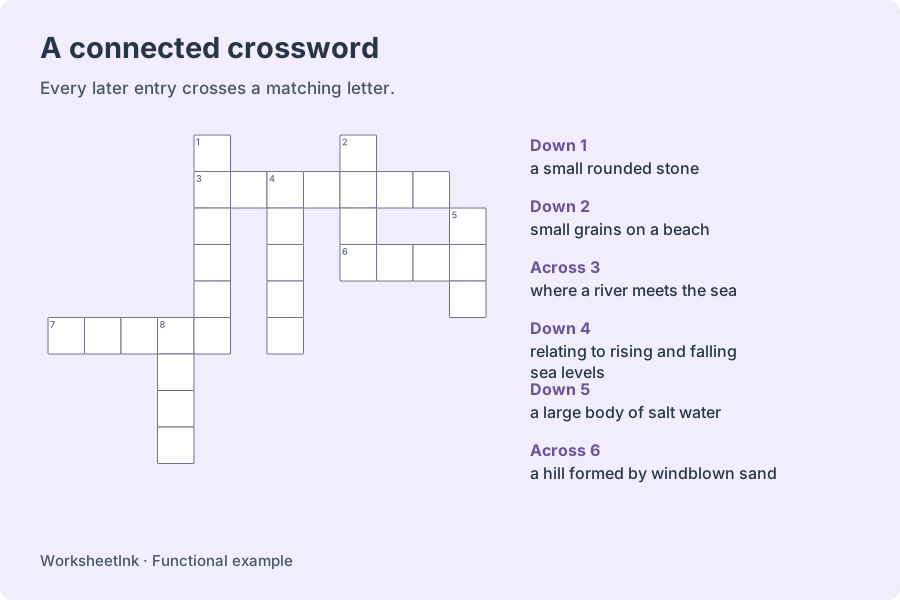
Every word after the first must cross a placed word at a matching letter. Words run left to right or top to bottom, with empty space at their ends and no accidental side-by-side letter chains. The layout is cropped to the occupied area rather than printing a large unused square. This crossword generator tries several arrangements, then keeps a connected result with as many selected entries as it found. It does not guarantee the globally best arrangement or a newspaper-style symmetric grid.
Clues and answers come from the same grid
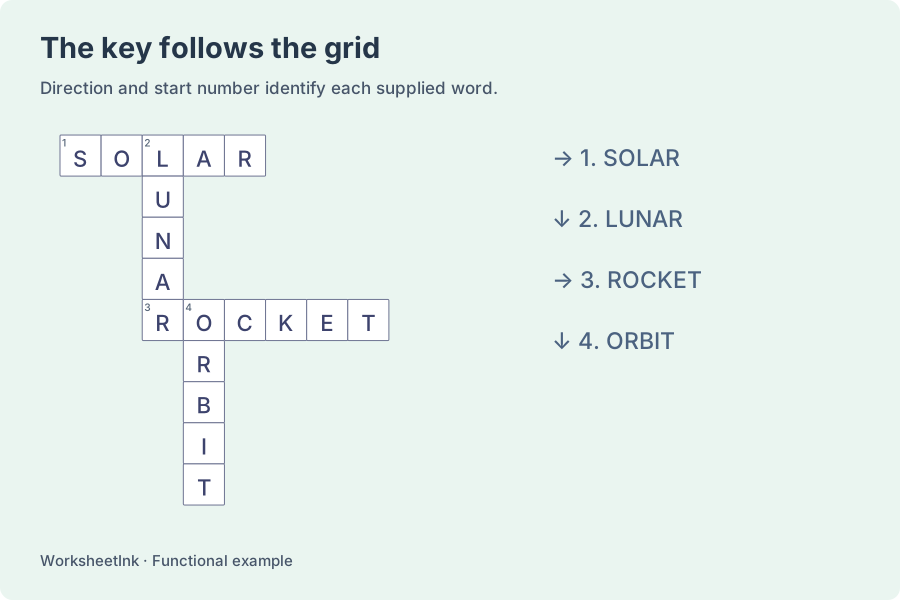
A starting cell receives one number, even when an Across entry and a Down entry begin there together. Each clue includes its direction and that grid number. The teacher copy fills the same cells with the original answer letters. Words that did not fit remain listed in the preview notice, rather than becoming isolated entries or extra clues without a place to write. Keep the key with the content version printed on the student copy.
Make a crossword with answer key that suits the lesson
Prepare clear clues, review the actual placement, then choose the paper layout.
- 01
Supply answers and useful clues
Enter one answer and clue per line, separated by a vertical bar: reef | a ridge near the surface of the sea. A two-column spreadsheet paste separated by tabs works too. Answers must contain two to 20 letters A–Z; they are converted to uppercase. Clues are required and may contain up to 120 characters, including Chinese or another language. You may supply up to 80 nonempty lines.
Do not include a spreadsheet heading row. Spaces, accents, apostrophes and hyphens are outside the answer format, although they can appear in clue text. Invalid rows are reported with their source line numbers. An identical answer and clue is used once; different clues for the same answer require you to choose one. The tool arranges supplied text and does not invent definitions, translate the list or check the factual accuracy of a clue.
- 02
Choose the selected set and a maximum grid size
Request one to 40 entries and choose input order or random selection. Input order takes the first valid entries; random selection shuffles complete answer-and-clue pairs before taking the requested amount. The maximum grid size can be five to 25 cells along each side. The finished grid can be a smaller rectangle because empty outer rows and columns are removed.
A word longer than the selected grid size cannot be placed. Shared letters help entries connect, but a shared letter alone is not sufficient: the available space, neighboring cells and endpoints also matter. The actual number placed may be lower than requested. Try another version seed, increase the maximum size, or revise the vocabulary set. No missing entry is silently replaced with a dictionary word that was not in your lesson.
- 03
Check that the clues test what you intended
For a coastal vocabulary review, use terms such as dune, reef and estuary with precise, short descriptions. Ask learners to begin with a clue they recognize, then use its crossing letters to check another answer. The optional answer length can give a useful scaffold without placing a letter in the student grid. Removing that length changes the available hint while keeping the same puzzle.
Read the clues yourself before sharing. A definition that fits several words may still be ambiguous until enough crossings are filled. Short clues usually work better than copying a long paragraph from a textbook. This is a classroom free-form crossword, not a cryptic puzzle constructor or a guarantee of a unique dictionary solution. The supplied key records your intended words; use lesson context when discussing another plausible response.
- 04
Edit the content without keeping an outdated solution
You can edit a placed answer and its clue. A clue-only change keeps the current grid, while changing an answer rebuilds the selected set because crossing letters may need different positions. Previously unplaced selected words are reconsidered during that rebuild. Other words can move or become unavailable; review the whole result and its notice, not just the one row you changed.
The revision marker changes after an edit, and the filled solution is derived from the updated grid. Changing clue columns, cell size or length hints only adjusts the current presentation and preserves your edits. Other generation settings apply when you generate again. Browser saving keeps the puzzle on this device; a data download preserves the exact grid, selected entries and edits for later import. A seed alone is not a record of manual changes.
- 05
Use clue columns to save paper while preserving writing space
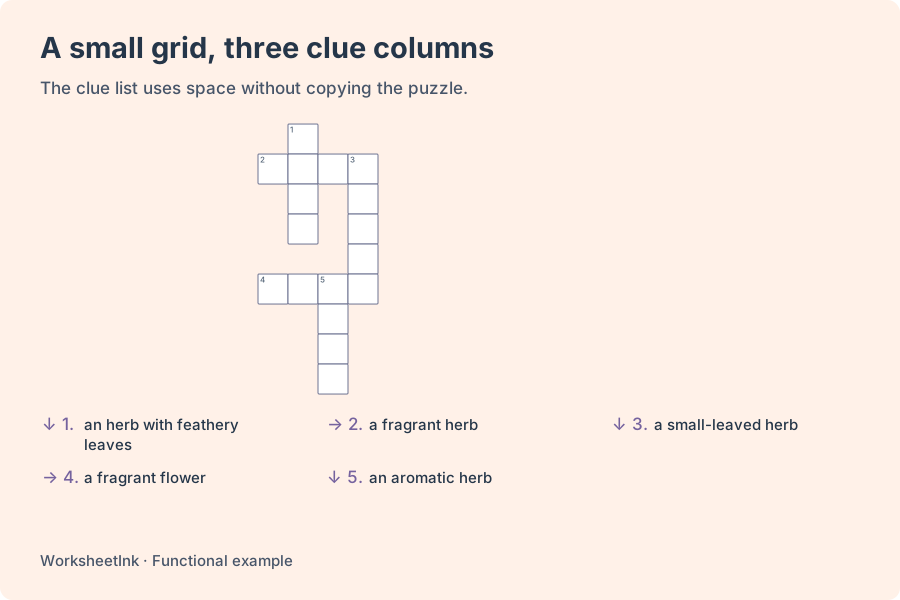
Select one to six clue columns. These are entries across the clue list, not six copies of the same crossword. Short clues can use several columns; substantial explanations are easier to follow in one or two. Choose compact five-millimeter cells or roomier seven-millimeter cells for the grid. Clue capacity is calculated from text length, answer length and the space left below the grid.
When the first page has room, it includes clues below the puzzle. Any remaining clues continue on separate numbered pages; a very large grid can have its entire clue list on following pages. Student and teacher copies use the same page plan, so each direction and number stays easy to locate. Direction labels appear with every clue rather than relying on a particular column position. Page count changes when the chosen density or cell size changes.
Choose A4 or Letter here and match that paper in the browser print dialog. Use portrait orientation and review every puzzle and clue page before printing or saving a PDF. Combined output places student pages first and filled teacher pages afterwards. The data file includes the answers and belongs with your preparation materials. A student PDF is the copy to distribute. This tool does not provide online solving, learner scoring or cloud storage.
Questions about your words, clues and printed puzzle
Practical answers for creating and keeping a classroom crossword.
An entry may be too long for the selected maximum size, lack a useful shared letter, or collide with the current arrangement. The notice lists unplaced selected answers. Try a different seed, a larger grid or a revised set. Placement is a bounded search, not a promise that every possible list will fit.
Yes. Clues can use Chinese and other text, while answer words are limited to A–Z and two to 20 letters. The Chinese interface does not add support for Chinese-character answers, phrases or accented answer spellings.
Across and Down entries can start in the same cell. That cell has one number, and each clue is distinguished by its direction. Follow both the direction label and the printed number when reading the key.
Paste two tab-separated columns containing answers and clues, without headings. Alternatively write answer | clue on each line. The clue is required. Exact repeated entries are used once, and conflicting clues for the same answer need correction.
Choose one to six clue columns. The grid retains its writing cells, while clues use the requested density and wrap as needed. If the space below the grid is insufficient, additional clue pages are created instead of shrinking everything into an unreadable block.
It can. A changed answer rebuilds the selected puzzle and can affect other placements. A clue-only edit keeps the existing grid. Both actions update the revision and the matching key, so review the complete output after changing a word.
No. It makes a connected vocabulary crossword from your supplied pairs. There is no promise of rotational symmetry, every letter being checked twice, professional cryptic clues or an exhaustive dictionary-based fill.
Download its worksheet data and import it into this tool later. The file preserves the exact grid and edits. Browser saving is local to this browser and device. Print student output when distributing the puzzle, since the editable data contains answer words.
Let this week’s vocabulary cross paths
Add clear clues and review the actual placed words.
Choose readable cells and compact clue columns.
Custom clues · Browser printing and PDF