CHINESE TEXT RECALL
Chinese poem worksheet generator Recall the words from the version you teach
Use this Chinese poem worksheet generator to turn your chosen poem or short Chinese passage into printable recall practice. Mark exact characters or phrases, remove every nth Hanzi, or hide the Hanzi runs on selected lines. Keep the source wording, punctuation and line breaks, then review the matching reference before printing.
Custom text · Adjustable density · A4 / Letter

Chinese poem worksheet generator
Enter the content, review the result and adjust the printable layout.
My worksheets
Drafts save automatically in this browser, including unfinished input. Keep up to 20 named worksheets across all tools. Large images may exceed browser storage; download data as a backup.
Worksheet preview
Fit complete rows onto each page using the selected columns and writing space. Extra page space stays at the bottom; answer gaps are not stretched.
Request 1–6 complete blocks across and 1–12 rows. Larger writing areas and long references can lower actual capacity.
Generate to review the content and matching reference.
Match A4 or Letter in the browser print dialog. Choose Save as PDF and review every student and answer page; switch off browser headers and footers if needed.
A memorization task begins with a particular text
Start with a clear source and a clear teaching choice.
Choose gaps that serve this lesson
Manual marks let you select a character, a multi-character expression or the important part of a verse. An interval mode provides a different task: it hides every nth Hanzi without deciding which words matter. Line mode hides the Hanzi runs on every nth eligible line, while leaving punctuation and non-Hanzi material visible. These are explicit removal rules, not an analysis of meaning or poetic difficulty. Choose a familiar passage, explain the recall goal and inspect the remaining clues. A line that contains very little visible context may be appropriate after learning, but it is less helpful as a first introduction.
Keep a source note when versions differ
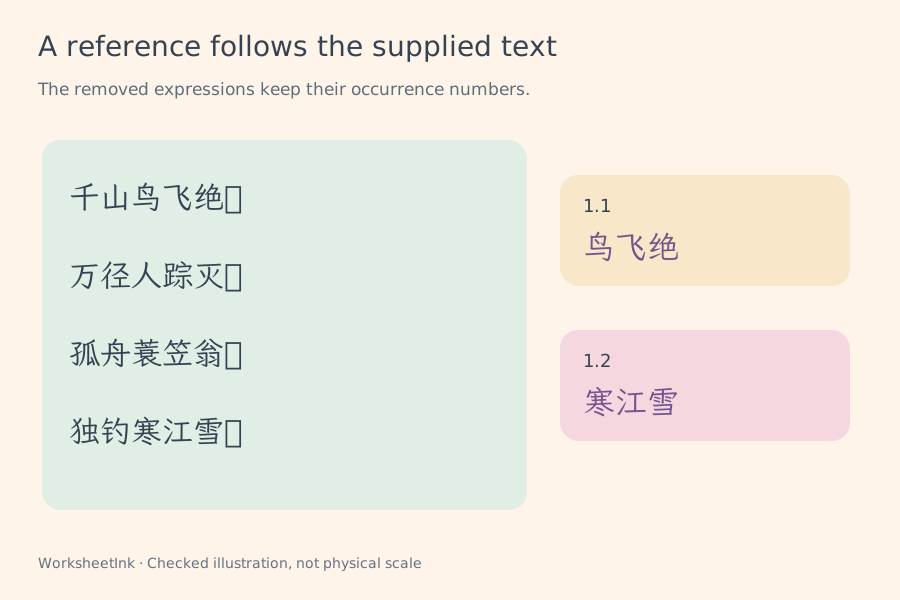
The reference follows the text you supply. A title and a source or edition note can accompany each block, making it easier to identify which wording the class is expected to recall. The maker does not look up a supposedly universal poem, correct an author attribution or replace a variant with another edition. Check your textbook or other adopted source before marking gaps. Simplified and traditional characters are preserved as entered, without automatic conversion. The examples illustrate a documented text choice; they do not assert that every curriculum uses that wording or the same line division.
Turn your current lesson into a checked handout
Set the task first, then make the paper fit.
- 01
Start Chinese text recall with a manageable block
Enter the text with the line breaks you want learners to see. Separate independent blocks using a line containing exactly three equals signs. You may begin a block with an optional header in the form title | source note. Without that header, the whole block is treated as the passage. Blank lines inside a block remain part of its structure.
Each block supports up to six hundred plain-text characters and twenty-four lines, with a title of up to sixty characters and a source note of up to 120. Line-edge whitespace is trimmed, while internal spaces, punctuation and line breaks remain. The text must contain Hanzi from the supported worksheet character set. Reported invalid blocks need review; a rare unsupported character is not silently substituted with a similar-looking form.
- 02
Mark exact words or use a stated interval
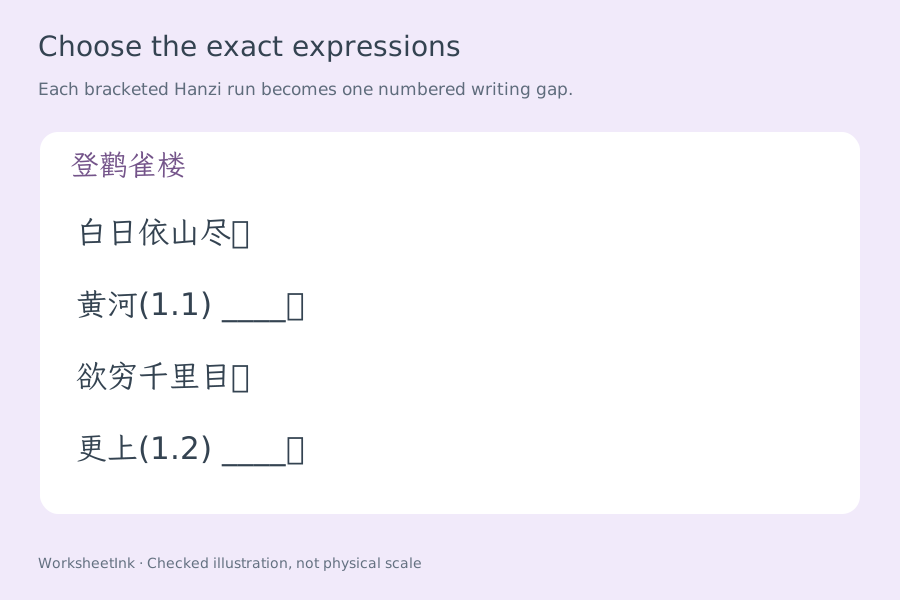
For targeted Chinese poem cloze practice, put double square brackets around the precise Hanzi you want removed: 黄河[[入海流]]。 A marked span contains one to forty Hanzi. Keep punctuation outside the brackets, and do not nest or leave an unmatched marker. Every occurrence you mark becomes its own numbered answer, even if the same expression appears twice.
Character mode counts only Hanzi and removes every nth one. Punctuation, digits, Latin letters and spacing do not advance that count. Line mode counts lines containing Hanzi and removes each Hanzi run on every nth such line. Both counts restart for each block, and the interval can be one through twelve. Automatic modes need unmarked text. The explicit remove-markers button keeps the original words while removing the brackets, so you can deliberately switch methods.
- 03
Leave ruled writing space and choose useful hints
Title and source-note visibility can be controlled independently. A first-character hint may be shown for a gap containing more than one Hanzi; a one-character gap receives no such hint because that would disclose the entire answer. The hint supplies a starting point, while the learner still writes the missing expression on the ruled response area.
Writing width can reserve five, seven or nine millimetres per missing character. This makes a longer expression visibly wider, so do not treat the sheet as an assessment that conceals answer length. A long gap can wrap its writing area onto additional lines within the item. The number combines the activity and gap position, such as 2.3, and the same identifier is used on the reference. This is written recall practice, without audio dictation or automatic learner marking.
- 04
Review the text and edit a particular activity
Request one to 200 blocks from up to 200 supplied blocks. Keep the source order for a lesson sequence, or shuffle the selection for review. Exact repeated entries are removed and reported; invalid block positions and shortages are displayed. The tool does not duplicate the same passage simply to fill a requested count.
Inspect both copies. A single-item edit can change the title, source note or passage, and then rebuild that activity’s gaps using the current removal rule. The reference updates in the same revision. If a different text version is needed, make the change explicit and revise the note. The website does not judge whether another traditional reading is acceptable; discuss alternatives using your adopted source rather than treating software output as an editorial authority.
- 05
Use the paper in both directions
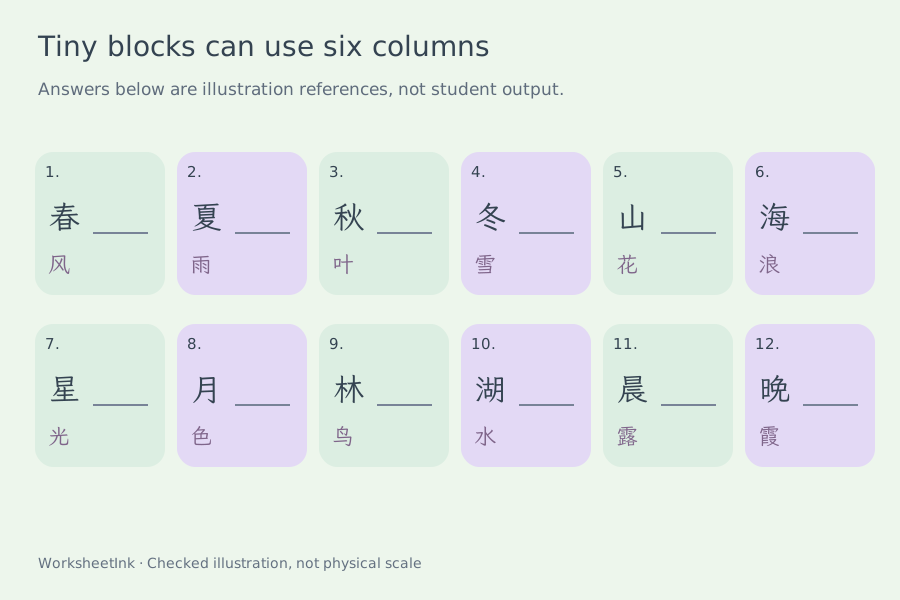
Choose one to six requested activities across and one to twelve requested rows down. An activity is a complete text block, not one missing character. Extra working space adds zero, eight or sixteen millimetres after the block. The five-, seven- or nine-millimetre writing-width control works alongside those density settings, rather than shrinking the handwriting area indefinitely.
The applied grid reserves space for the student passage, ruled gaps, enabled metadata and full reference. Long expressions can reduce actual columns; taller blocks reduce rows. The capacity notice shows the result. Very short one-line tasks can use six columns, while a four-line poem or prose extract usually benefits from fewer. If even one column cannot hold a block safely, shorten or split it. Changing layout preserves the chosen text, gap positions, edits and content version.
- 06
Save a checked student sheet and source reference
Student output contains the remaining passage, enabled hints and visible writing lines. The separate reference restores the complete source and lists every removed expression with its gap number. Preview and print use the same installed Chinese text fonts, keeping the passage readable without downloading a handwriting font. Choose student, reference or both according to your distribution plan.
Match A4 or Letter in the browser and inspect the actual preview before printing many copies or saving a PDF. Browser saving is local to this device. Downloaded JSON preserves the exact passages, adopted notes, selected blocks, edits and layout for validated import. Keep that file after a correction. A version seed helps repeat an unedited selection but does not capture later manual changes by itself. There is no cloud lesson library or collection of student responses.
Questions before preparing a class set
Practical answers about content, references and printing.
Yes. Paste the chosen text, preserve its line breaks and optionally add a title and source note. The maker uses that input rather than selecting a school edition for you. Check the source before making gaps, especially when your lesson requires a particular variant or punctuation.
Use manual mode and enclose the intended Hanzi expression in double square brackets. It becomes one numbered gap and one reference entry. Each marked span accepts up to forty Hanzi; leave commas and other punctuation outside the brackets. Repeated expressions remain separate occurrences.
Choose line mode and enter one intended verse or sentence per line. Every nth line containing Hanzi is selected. All Hanzi runs on that line become gaps, but punctuation and non-Hanzi text stay visible. This is a line-based rule and does not automatically identify sentence boundaries or poetic couplets.
The maker preserves the supplied characters, punctuation and line breaks after trimming line-edge whitespace and normalizing text encoding. It does not convert between simplified and traditional writing. Place punctuation outside manual markers. Numbered gap labels and writing lines are added around the preserved content.
Use the wording required for your class and record that edition or choice in the source note. The reference is built from your supplied version. An individual edit updates both copies. The tool does not combine editions, decide which historical variant is authoritative or automatically accept another wording.
Each gap has a visible ruled writing area. Width reserves five, seven or nine millimetres per missing character, with additional lines for long gaps. A first-character hint can support multi-character answers. The printed width reveals some length information, so choose the scaffold to suit practice rather than a length-hidden test.
Yes, with separate requested rows and extra-space settings. Six suits very short blocks. Longer source lines, larger writing width and the full reference can reduce the applied grid. Read the displayed capacity; the tool does not promise that a complete long poem will fit in a narrow column.
Yes. Download the current JSON, import it into the corresponding tool later and select student output. The reference remains available separately with the same version and numbered gaps. Local browser saving is device-specific. Browser PDF saving and physical page scaling should be checked on your own setup.
Prepare a focused recall activity
Review the content, then give learners usable room to respond.
Browser print / Save PDF · No registration