ARRANGE · EXPAND · CONDENSE · REPAIR
Chinese sentence worksheet generator Give each sentence a clear purpose
Use this Chinese sentence worksheet generator with checked examples for word order, expansion, condensation and sentence repair. State the goal for each task, retain more than one acceptable reference and keep scoring guidance beside the teacher copy. Adjustable paper density gives learners room to write without fixing every sheet to two items across.
Checked content · Adjustable grid · A4 / Letter

Chinese sentence worksheet generator
Review the material, generate a set and adjust the paper.
My worksheets
Drafts save automatically in this browser, including unfinished input. Keep up to 20 named worksheets across all tools. Large images may exceed browser storage; download data as a backup.
Worksheet preview
Fit complete rows onto each page using the selected columns and writing space. Extra page space stays at the bottom; answer gaps are not stretched.
Request 1–6 items across and 1–12 rows. Actual player/student and teacher capacities are estimated separately.
Generate to review the content and matching reference.
Match A4 or Letter in the browser print dialog. Choose Save as PDF and review every student and answer page; switch off browser headers and footers if needed.
A longer sentence is useful when its meaning becomes clearer
Keep the intended message and make the learning goal visible.
Connect Chinese sentence practice to a specific goal
Choose the distinction you want learners to notice before adding more questions. A word-order activity asks them to use every supplied segment. An expansion task adds relevant detail; a condensation task removes the specified extras while preserving the required core. Chinese sentence correction can focus on an incomplete clause, inconsistent description or unsuitable combination. The maker stores your checked prompt, goal, references and marking guidance together. It does not diagnose arbitrary Chinese grammar or turn one teacher reference into the only possible correct response.
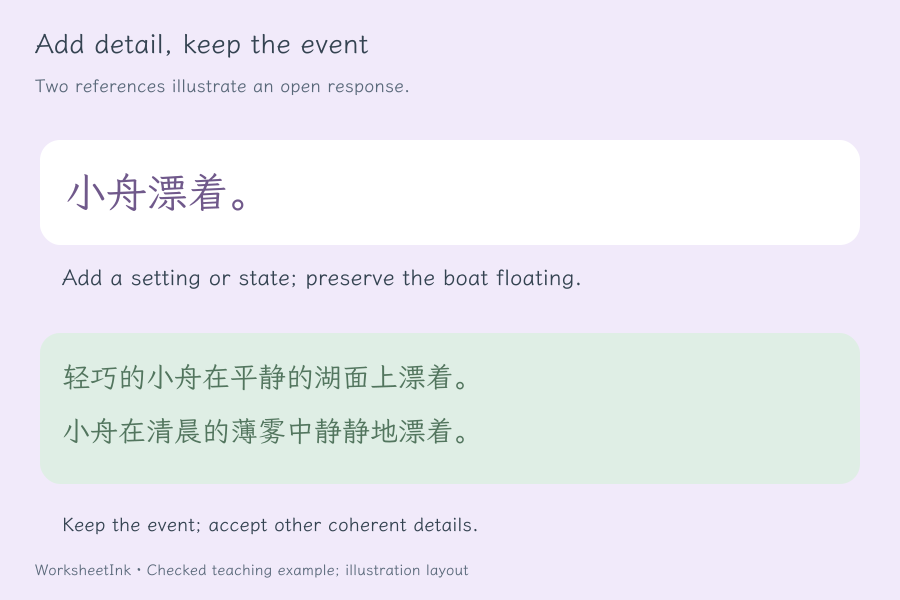
Keep open responses open enough to discuss
Chinese sentence expansion can produce many reasonable sentences. Describe what must stay and which detail should be added, then give an illustrative response. For condensation, say which information the learner should retain rather than treating every short sentence as successful. A correction task also benefits from a named problem and a clear intended meaning. The student sees the source and goal, with visible writing lines. Teacher pages preserve reference examples and scoring points separately so you can judge a learner’s wording against the task rather than a string match.
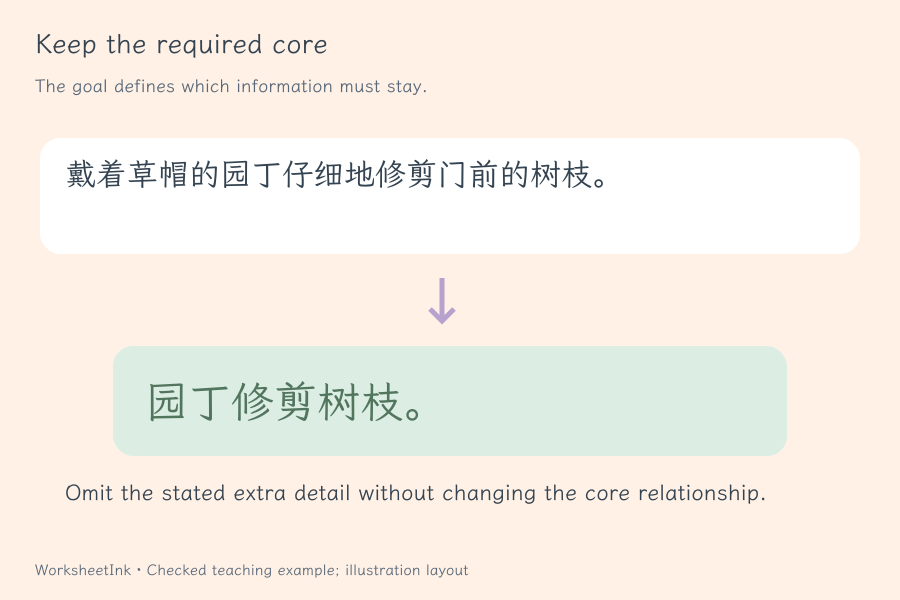
Prepare a small sentence task learners can explain
Review the language first, then fit the writing to the page.
- 01
Select the operation and the teaching focus
Load one of four starter task types or the mixed set. Every row needs a source, at least one reference, a task goal and scoring guidance. The starter sentences are original illustrative material, not excerpts from a textbook or a claim that the task belongs to a particular examination or proficiency level.
Make the goal specific enough to assess: add a location, keep a subject–action–object relationship, or repair a conflicting description. A broad instruction to improve a sentence can invite several unrelated changes. Explain the acceptable boundary before learners answer, and review the source yourself to ensure that the requested operation makes sense.
- 02
Provide deliberate segments for word-order work
Separate the ordered source segments with a slash. The maker shuffles whole segments using the version seed and avoids returning that same original sequence. It does not automatically segment Chinese text. Each reference must be made from the supplied segments, each used exactly once, with optional final sentence punctuation.
This structural check helps catch an accidentally missing phrase or added character in a reference. It cannot decide whether every arrangement is grammatical or natural. Keep segments meaningful, check all reference orders yourself and accept another coherent order when the task permits it. Repeated segments are counted separately rather than silently removed.
- 03
Expand or condense without changing the required message
For expansion, give a short source and state which sort of detail to add. For condensation, identify the core relationship that must survive and which modifiers may be removed. Store one to four reference responses and marking points that tell a teacher what matters.
The tool does not automatically compare subject, negation, aspect or logical relationships between the source and a rewrite. Those decisions remain yours. A shorter sentence can change meaning, and a longer sentence can add an unsupported event. Use a focused example and review whether the reference actually satisfies the goal before asking learners to imitate it.
- 04
Make sentence repair a reasoned revision
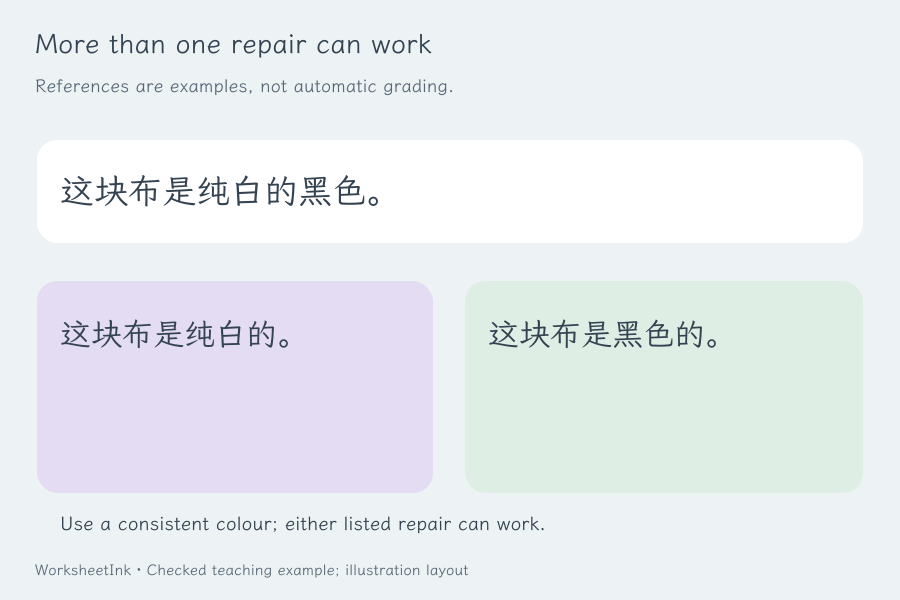
Enter a source containing a deliberate problem and explain the repair goal. Several corrections can be reasonable, especially when the original is incomplete or contradictory. Preserve the intended situation in the marking guidance and show alternatives when they illustrate genuinely different valid repairs.
The generated reference is a teacher aid, not an automatic grammar checker. It does not certify a rule, award points or compare student writing with a model. When discussing a response, ask which problem was removed and whether the resulting sentence is complete and coherent. An explanation can reveal learning that a copied model sentence would hide.
- 05
Select a useful set and adjust writing density
Request one to 200 items in input order or a seeded shuffled selection. Identical rows are removed; conflicting information for the same type and source is omitted together and reported. The actual valid count is shown if the pool cannot meet the request. Editing keeps all fields together and records a content revision.
Choose one to six items across, one to twelve rows and compact, normal or extra space. Student writing lines grow with the supplied reference length, with at least two lines per item. Student and teacher grids have independent conservative estimates, so longer scoring notes do not automatically spread out the learner’s page. Actual capacity can be lower than the requested grid.
- 06
Save the goal and reference with the exact questions
Print student pages, teacher references or both. Numbering and content version stay matched even when the two outputs have different page counts. Keep the printed criterion with the questions so that the marking basis remains visible when the sheet is reused later.
Download JSON for the pool, selection, goals, references, scoring notes and layout. Import validates the worksheet before restoring it. Browser saving is local and may be cleared. Changing only columns, rows or extra space preserves the content identifier; changing a task creates a revision. Select the same A4 or Letter paper in the browser dialog and inspect the final pages before making copies.
Questions before you print
Practical details about source content, answers and paper.
Specify which detail to add and which core event must stay. Provide a reference that follows that instruction and marking points for reasonable alternatives. The tool preserves this teaching decision but does not automatically judge meaning preservation. A learner can write a different suitable sentence; compare it with the goal rather than requiring the model wording.
State the intended core relationship and the modifiers to remove. Do not assume every source can be reduced by deleting the same kinds of words. Negation, necessary objects and logical relationships may affect the meaning. Your checked reference and marking guidance define the task; the website does not perform automatic syntactic analysis or certify a condensation.
Often a repair can be expressed in more than one way. Store up to four references and explain the problem to resolve. The teacher decides whether another response removes that problem while preserving the intended situation. The maker supplies paper tasks and guidance; it does not diagnose arbitrary input or automatically grade students’ rewrites.
You enter the segmentation with slashes. The maker shuffles whole segments and checks that each reference uses every supplied segment once, allowing final sentence punctuation. It does not analyse natural word order. The teacher must check that each accepted arrangement is coherent, and may accept another suitable order that obeys the same task.
Yes, with up to twelve rows and three extra-space settings. Long source sentences, response length and scoring guidance can reduce the actual density. Student and reference pages are estimated independently. Read the capacity summaries and inspect the intended A4 or Letter output; a six-column request is not a promise that six long writing tasks will remain readable.
Every student task has visible horizontal writing lines, with at least two lines and more when the reference suggests a longer response. The source and specific goal appear above them. Supplied references and scoring guidance are hidden from the student output. Add extra space if your learners write larger characters or should explain a correction as well as rewrite it.
Yes. Paste checked tasks using the displayed format, edit individual items and download JSON for the exact pool, selection, goals and notes. Import revalidates saved data. Content edits create a revision; layout changes preserve the version. Local browser saving is convenient on the same device but should not be your only copy of an important lesson.
You supply reviewed material or adapt the original starter examples. The maker selects, shuffles, formats and saves those tasks. It does not invent topic-based sentences, certify exam alignment, convert simplified and traditional text or assess student handwriting. Check language and references yourself, then test the final paper output before classroom distribution.
Prepare the next focused sentence task
Review the task and give learners room to explain.
Browser printing & PDF · No registration