WORD FORMATION · COLLOCATIONS · CONTEXT
Chinese vocabulary worksheet generator Build words that make sense together
Use this Chinese vocabulary worksheet generator for open word formation, contextual collocations and synonym or antonym practice. Bring your checked examples and teaching notes, keep room for reasonable alternatives and choose how densely the tasks fit on paper. Student writing pages and teacher references share one reproducible content version.
Checked content · Adjustable grid · A4 / Letter

Chinese vocabulary worksheet generator
Choose checked tasks, review the references and set the paper density.
My worksheets
Drafts save automatically in this browser, including unfinished input. Keep up to 20 named worksheets across all tools. Large images may exceed browser storage; download data as a backup.
Worksheet preview
Fit complete rows onto each page using the selected columns and writing space. Extra page space stays at the bottom; answer gaps are not stretched.
Request 1–6 across and 1–12 rows. Student and reference capacities are estimated independently.
Generate to review the content and matching reference.
Match A4 or Letter in the browser print dialog. Choose Save as PDF and review every student and answer page; switch off browser headers and footers if needed.
Move from remembering a word to using it
A clear situation makes a small vocabulary task worth discussing.
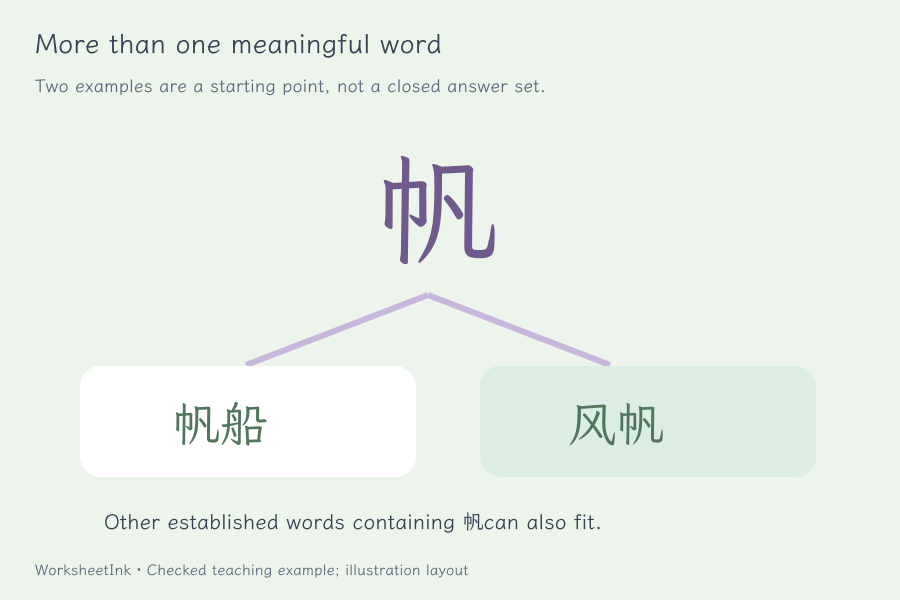
Let one character lead to more than one useful word
Chinese word formation practice should invite meaningful combinations rather than a single memorized string. Give one target character and at least two reference words containing it. The printed teacher copy identifies them as examples, with a reminder to consider other suitable answers. Explain any limits in the shared criterion: established words, a chosen meaning or a topic the class has studied. The generator checks the written format and inclusion of the character. You decide whether a proposed word exists and whether the learner can use it appropriately.
Keep collocations and meaning changes inside a sentence
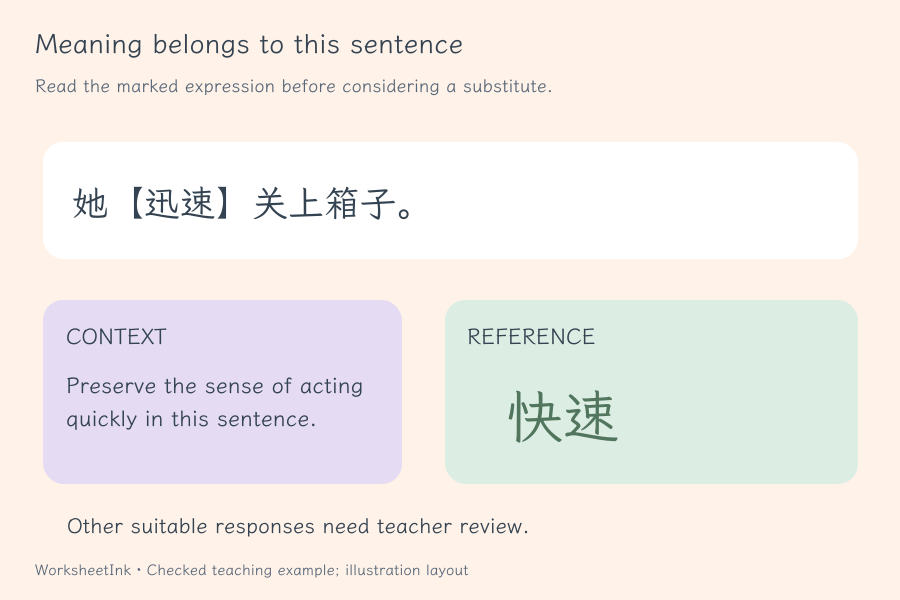
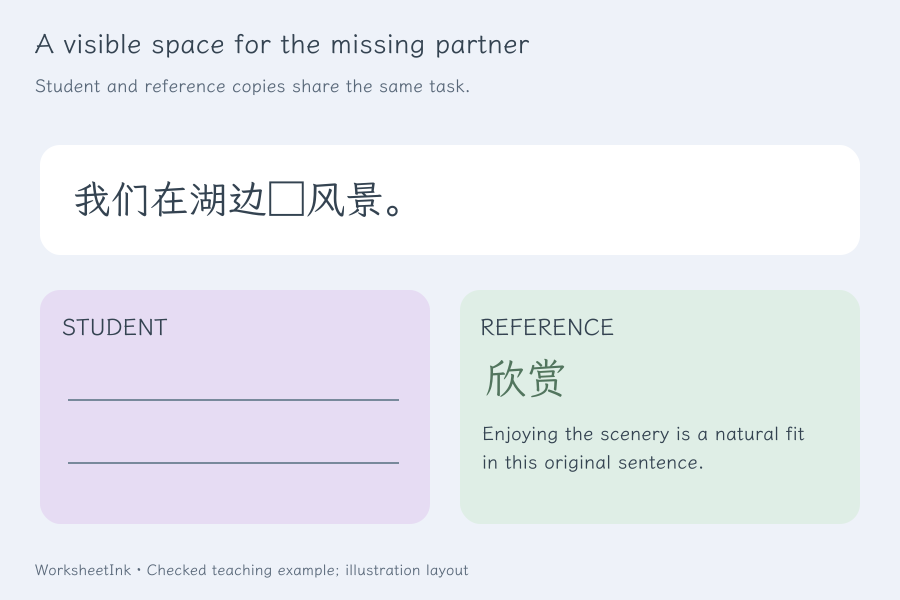
A Chinese collocations worksheet becomes clearer when learners can see the situation. Use a sentence with one square gap for a natural combination, or mark a target expression with 【 】 for a synonym or antonym task. A word can have several meanings, so references belong to this sentence rather than every possible use of the word. Enter one or more suitable responses and explain the intended sense. Teacher notes stay with the reference, allowing students to work without seeing the supplied suggestions.
Make a compact, purposeful vocabulary activity
Decide what counts as a useful answer before choosing the grid.
- 01
Choose a manageable vocabulary goal
Decide whether learners should form established words, supply a natural partner, replace an expression with a near synonym or contrast a particular meaning. The starter contains original practice sentences and teacher-reviewed examples. It is a working model rather than an exhaustive lexicon, a textbook sequence or an assessment of a learner’s proficiency.
Keep a short printed criterion for the whole set. For example, ask for meaningful words and replacements that fit the displayed sentence. If you need a particular topic or meaning, say so before learners answer. A clear boundary makes open responses fairer to discuss and reduces the temptation to reject a valid word simply because it was absent from the prepared examples.
- 02
Use open word formation with multiple examples
A formation row contains one Chinese character, at least two different reference words and a teacher note. Every reference word must contain the given character and have at least two characters. The student sees the character and writing lines, with no hidden word list to copy.
These checks do not prove dictionary membership or settle whether a combination is a word in the intended lesson. Review the examples yourself and accept other established words used correctly. Ask a learner to explain a meaning or use the word in a sentence if a response is unfamiliar. The supplied examples help marking; they do not define the complete set of legitimate answers.
- 03
Make collocation gaps precise enough to answer
Write exactly one □ in a short sentence and enter the intended word or phrase. A context such as discussing a proposal gives a verb a practical role. Include a note explaining why the combination works. Multiple reference suggestions can be supplied when the sentence naturally permits more than one completion.
Read the finished sentence with each suggestion. Check meaning, grammatical role and ordinary usage instead of relying on a translated English phrase. This is a teacher-authored Chinese word combinations activity, not a predictive language model or a corpus frequency service. The tool validates fields and layout, but it does not automatically establish that a phrase is idiomatic or that other responses are wrong.
- 04
Treat synonyms and antonyms as contextual relationships
Mark exactly one expression with 【 】 in a sentence. Choose synonym or antonym, then provide references and a note about the intended meaning. Replacing a word may also change register, emphasis or grammar; mention a difference that matters to the task rather than promising that every near synonym is interchangeable.
For an antonym, keep the comparison dimension explicit: water depth, road width or whether a box is empty. A word used in another sense may need a different contrast. The printed sentence preserves that context beside the task label. Learners can discuss a justified alternative with the teacher, who decides whether it meets the lesson’s criterion.
- 05
Select the set and give handwriting a sensible amount of room
Use input order or a seeded shuffled selection, requesting one to 200 items. Identical repeated rows are removed. Conflicting rows with the same type and prompt are omitted until you resolve their references or notes. If the valid pool is smaller than requested, the maker reports the actual count.
Choose one to six items across, one to twelve rows and zero, eight or sixteen millimetres of extra space. Two answer lines remain visible under every student item, and collocation gaps have an inline underline. The student grid and teacher grid have independent estimates so longer reference notes do not automatically loosen the student page. Review their actual capacities after generation.
- 06
Save the teaching decision with the worksheet
Edit a prompt, references or guidance through the item editor when a classroom discussion reveals a better example. Content changes create a revision, keeping the updated marking guidance tied to the selected set. Density changes preserve that content version. Student and reference pages keep matching question numbers even when they use different grids.
Download JSON to retain the checked pool, selected tasks, criterion, examples, notes and layout. Local browser saving can help you return on the same device but is not a cloud record. Import revalidates saved data. Choose A4 or Letter consistently in the controls and browser print dialog, inspect all pages and keep the reference with the corresponding version identifier.
Questions before you print
Practical details about source content, answers and paper.
Yes. Open formation tasks require at least two reference examples and label them as non-exhaustive. Other established words that use the target character correctly may also meet the teacher’s criterion. The maker does not automatically compare student handwriting with those examples. Ask for a meaning or sentence when that helps decide whether an unfamiliar answer fits the task.
Formation starts with a single character and asks for meaningful words containing it. A collocation task presents a sentence with one □ and asks for a word or phrase that combines naturally with its surroundings. Both are open paper activities with teacher-supplied references. A completion should fit the whole sentence, not merely resemble the prepared suggestion or a literal translation.
A Chinese expression can have different senses in different situations. A near synonym may change tone or grammatical usage, and a suitable antonym depends on the dimension being contrasted. Mark the target with 【 】 in a sentence and explain the intended sense in the teacher note. The reference applies to that context; it is not a universal substitution rule.
Yes. Paste one checked task per line using the shown fields, or load a starter practice type. Supply the prompt, reference examples and teacher explanation together. Up to six different references can be stored for a task. Review dictionary membership, collocation and context yourself: the tool checks structure and consistency, rather than querying an authoritative lexical database.
Request one through six columns and up to twelve rows, with compact, normal or extra space. Actual capacity depends on sentence length, references and guidance. Student pages are estimated separately from the teacher copy. The calculation reduces density when necessary to preserve usable text size. Inspect the chosen A4 or Letter preview before copying a long or densely packed activity.
No. Formation examples are explicitly non-exhaustive, and other vocabulary tasks can also allow justified alternatives. The printed notes describe your intended interpretation. Decide whether another response preserves the required meaning, fits the grammar and follows the stated criterion. The website offers a reference for teacher judgment, not automatic grading or a claim that an unlisted response is incorrect.
Edits are rechecked and create a new content revision. Downloaded JSON retains the pool, selected questions, criterion, references, notes and layout. Import validates the worksheet and its identifier before restoring it. Changing only density or writing space preserves the version. Identical duplicates are removed during generation, while conflicting references for the same type and prompt are reported for review.
You provide checked material or adapt the original starter. The maker selects, formats and stores that material; it does not invent new lexical relationships, certify vocabulary levels, translate a list or judge learners’ answers. Traditional text can be supplied within the supported worksheet character set, with its usage checked independently. Actual interaction and final printer output should be reviewed before classroom distribution.
Give the next word a useful context
Review the task and give learners room to explain.
Browser printing & PDF · No registration