PLACE VALUE, PROPORTION, PRACTICE
Decimal and percent worksheet generator make place value and percentage meaning visible
Use this decimal and percent worksheet generator to create decimal arithmetic, rounding, exact conversions and percent-of-an-amount questions. Control input precision and answer rules, then arrange one to six problems per row with the working space your learners need.
Custom skills · 1–6 per row · A4 / Letter
Set up decimal and percent practice
Choose the skills, ranges and paper density.
My worksheets
Drafts save automatically in this browser, including unfinished input. Keep up to 20 named worksheets across all tools. Large images may exceed browser storage; download data as a backup.
Worksheet preview
Fit complete rows onto each page using the selected columns and writing space. Extra page space stays at the bottom; answer gaps are not stretched.
Columns, requested rows and working space are independent; actual rows may be reduced. Layout changes retain your questions.
Choose settings and generate to review the matching copies.
Match A4 or Letter in the browser print dialog. Choose Save as PDF and review every student and answer page; switch off browser headers and footers if needed.
Keep a decimal value distinct from its percent notation
Choose the skill first; the answer format follows its mathematical purpose.
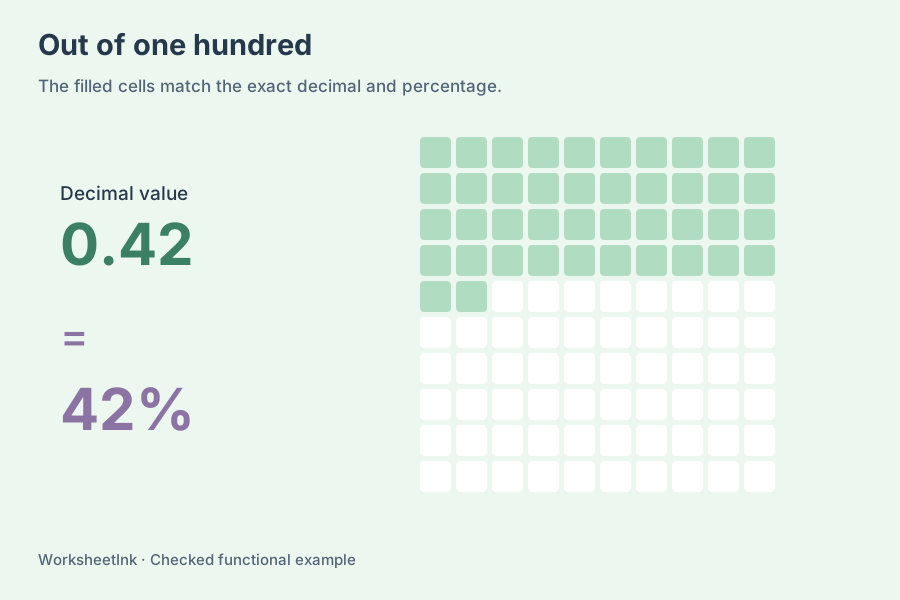
One value can have two useful representations
A decimal to percent question changes notation while keeping the value. For example, 0.375 equals 37.5%, whereas the number 37.5 without its percent sign is different. The reverse task turns a whole-number percentage into its decimal value. Finding a percent of a number adds a second ingredient: an amount. Here 15% of 80 produces 12, an amount with no percent sign. These task types stay separate in the generator so a learner can see exactly what is being asked.
Choose exact arithmetic or an explicit approximation
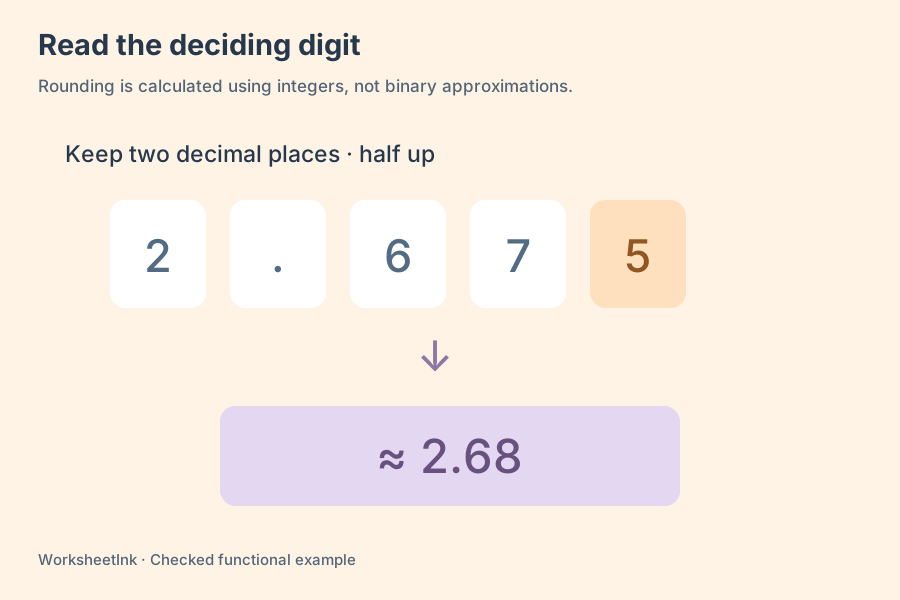
Decimal values are calculated as integers scaled by powers of ten, and division uses an exact rational intermediate. The generator therefore avoids binary decimal artefacts in its answer key. Exact arithmetic mode permits only terminating division results with no more than six decimal places. Rounded mode accepts division that needs approximation and follows your selected output precision. An approximation mark appears when the printed value differs from the exact result; equal signs remain for genuinely exact results. Conversions are always exact, even on a mixed sheet.
Build decimal worksheets around one clear goal
Ranges, rounding and page density control different parts of the exercise.
- 01
Pick the task before setting the range
Choose addition, subtraction, multiplication, division, rounding, decimal-to-percent conversion, percent-to-decimal conversion or finding a percentage of an amount. Several selected skills create a mixed review with separate single-step prompts. They do not create expressions with several operators. Request one to 200 questions, with the requested count at least as large as the number of selected skills.
For a first conversion lesson, use just one direction and ask pupils to explain what the percent sign means. Later, combine both directions. A worksheet about calculating a proportion can use percent-of-an-amount alone. This makes the page a useful teaching resource rather than a random collection of superficially similar numbers.
- 02
Set decimal precision and bounds together
Inputs use one, two or three decimal places. The decimal minimum and maximum must lie on that precision grid and between zero and 1000. At two places, 1.25 is allowed; 1.257 is not. Extra trailing zeros are accepted when they do not change the value. These are operand limits, so a product or conversion can be larger than the selected maximum.
Percentage inputs have separate inclusive whole-number bounds from zero to 500. Amounts have whole-number bounds from zero to 10000. Those controls affect percent-to-decimal and percent-of-an-amount tasks; they do not silently change the decimal operand range. A percentage above 100 can produce an amount greater than the starting amount.
- 03
Make the rounding instruction visible
Choose exact or rounded arithmetic answers. Rounded answers keep zero to four places, including trailing zeros that show the requested precision. Half-up rounding sends an exact halfway case away from zero. Truncation simply discards the remaining digits towards zero. A dedicated rounding question requires fewer answer places than input places, so the exercise actually removes digits.
The same rule applies to permitted negative subtraction results. For example, half-up rounding of −1.25 to one place gives −1.3, while truncating gives −1.2. A rounded arithmetic prompt states its target precision, and a dedicated rounding prompt also names the rule. Decimal/percentage conversions keep their exact values rather than obeying the arithmetic rounding option.
- 04
Check the actual set and its answers
Generation cycles through the eligible selected skill pools and suppresses duplicate prompts. Addition and multiplication also treat reversed operand order as the same prompt. Small domains are counted exhaustively. Large domains use a bounded search, so a shortage notice distinguishes an exhausted small pool from a search that stopped before finding enough questions.
Division excludes zero divisors. Subtraction stays nonnegative unless you enable negative results. If one selected skill cannot supply a valid question, the sheet reports that fact and still uses eligible skills. Inspect the actual count and the per-skill totals; do not assume that a request automatically produced an equal number of every type.
- 05
Fit the work across and down the paper
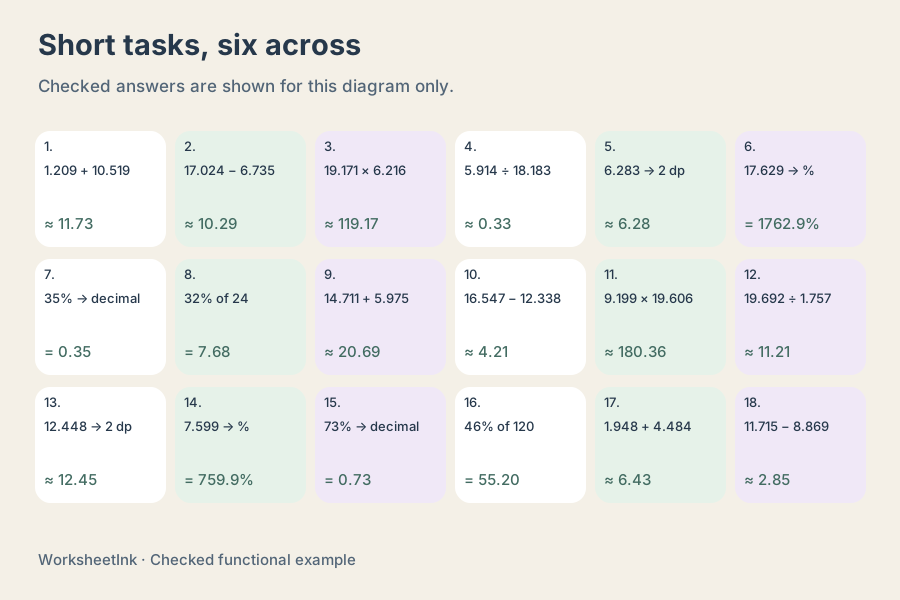
Choose one to six problems per row and one to twelve requested rows. Three working-space settings add zero, eight or sixteen millimetres beneath each task. Effective rows may be lower than requested because the page reserves a conservative vertical budget for the questions, header and footer. Five- and six-column layouts use taller question rows to allow longer text to wrap.
Use dense settings for short conversions and a smaller column count when pupils need to show calculations. Changing columns, rows or working space rearranges both student and answer copies without replacing a question or discarding an edit. Check the displayed effective capacity, choose A4 or Letter, and use the matching browser paper size when saving a PDF.
- 06
Keep the exact version for later reuse
Open a question in the existing editor to replace its operands or change it to another selected skill. The replacement must obey the current ranges and answer rules, and duplicates are refused. The answer is recalculated and the revision changes. Saving in the browser keeps the sheet on this device; downloading data preserves the exact generated set in a portable JSON file.
Import validates the questions and recomputes answers instead of trusting an answer string in a file. Student and teacher outputs always come from the same data and version. Printing uses the browser dialog, while the JSON download is a reusable data file rather than a PDF. Review a real print sample before preparing a large classroom stack.
Questions before you print
Clear expectations for the prompts, answers and paper layout.
Multiply the numeric decimal by 100 and attach the percent sign. Thus 0.08 becomes 8%, and 1.25 becomes 125%. The sign matters: 125 is not equal to 1.25, but 125% is. The conversion task prints the required output form and includes the sign in its answer.
Yes. Percentage inputs can range from zero to 500, and decimal-to-percent results can exceed that input percentage range because they come from the separate decimal domain. A percent above 100 represents more than one whole. For percent-of-an-amount tasks, the result is an amount, not a new percentage.
A zero divisor is excluded, and an exact division answer must terminate within six decimal places. A narrow decimal range can therefore leave very few eligible pairs. Widen the bounds or choose rounded arithmetic when recurring decimals are part of the lesson. The actual result count and shortage notice explain what was produced.
Choose zero to four answer places and either half-up rounding or truncation. Rounded arithmetic retains the requested places, so 2.5 can be printed as 2.50 when two places are required. A dedicated rounding task needs fewer answer places than input places. Exact conversions use their necessary terminating decimal representation.
It is the original amount multiplied by the percentage divided by 100. For example, 12% of 50 is 6. The answer therefore has the meaning of an amount and is printed without a percent sign. The generator uses numerical prompts; it does not invent currency units, discount stories or tax assumptions.
Yes. Set the columns and working space independently, then choose the requested row count. Extra space and narrow columns can reduce effective rows, which are shown before printing. A short conversion sheet may suit six columns; long division or handwritten explanations usually benefit from fewer columns and larger gaps.
Yes. Editing checks the current limits, rejects duplicate prompts, recalculates the result and updates the revision. Layout changes retain that edit. Regenerating an edited sheet asks for confirmation inside the existing workflow because it would replace the current questions. Download the data if you need that exact set later.
Browser saving stores data locally on this device. Download data creates a JSON file containing the exact set and settings; it can be imported again. For a PDF, use Print / Save PDF in your browser and choose the matching paper size. No account, cloud synchronisation or automatic student marking is included.
Prepare the next useful practice sheet
Choose a focused skill, review the matching answers and fit the paper layout to the work learners need to show.
Browser print / Save PDF · No registration