TWO SIDES, ONE CONNECTION
Matching worksheet maker make room for the connections that matter
Use this matching worksheet maker to connect vocabulary with meanings, questions with answers, or concepts with examples. Supply both sides, review the shuffled choices, and choose one to six items across each side of the page. The numbered key stays tied to the same activity.
Your pairs · Shuffled choices · A4 / Letter

Set up your matching activity
Supply complete pairs, then review the shuffled choices.
My worksheets
Drafts save automatically in this browser, including unfinished input. Keep up to 20 named worksheets across all tools. Large images may exceed browser storage; download data as a backup.
Worksheet preview
Fit complete rows onto each page using the selected columns and writing space. Extra page space stays at the bottom; answer gaps are not stretched.
Enter complete pairs and generate to review the shuffled activity.
Match A4 or Letter in the browser print dialog. Choose Save as PDF and review every student and answer page; switch off browser headers and footers if needed.
Clear relationships, shuffled choices
Prepare vocabulary matching and a printable answer key from the terms you taught.
Two supplied sides become a real matching task
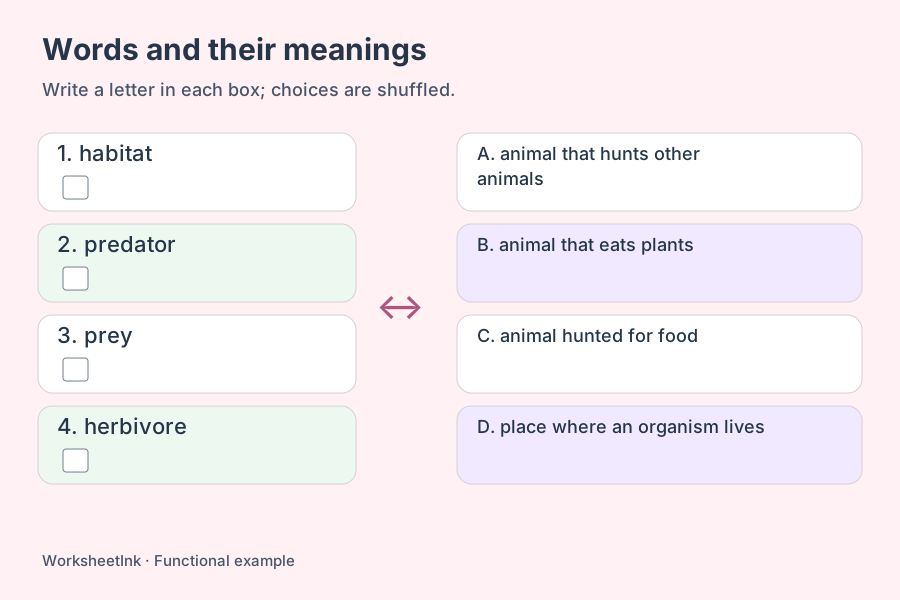
A vocabulary matching activity begins with a relationship you already know. Enter a term and its meaning on the same line; the student sheet keeps the numbered prompts separate from the shuffled lettered choices. Definitions are not invented or retrieved automatically. Each printed section contains the options needed by its own prompts, so learners do not have to hunt on another page. The answer sheet repeats those choices and fills the response boxes with the corresponding letters.
Shared answers keep their original meaning
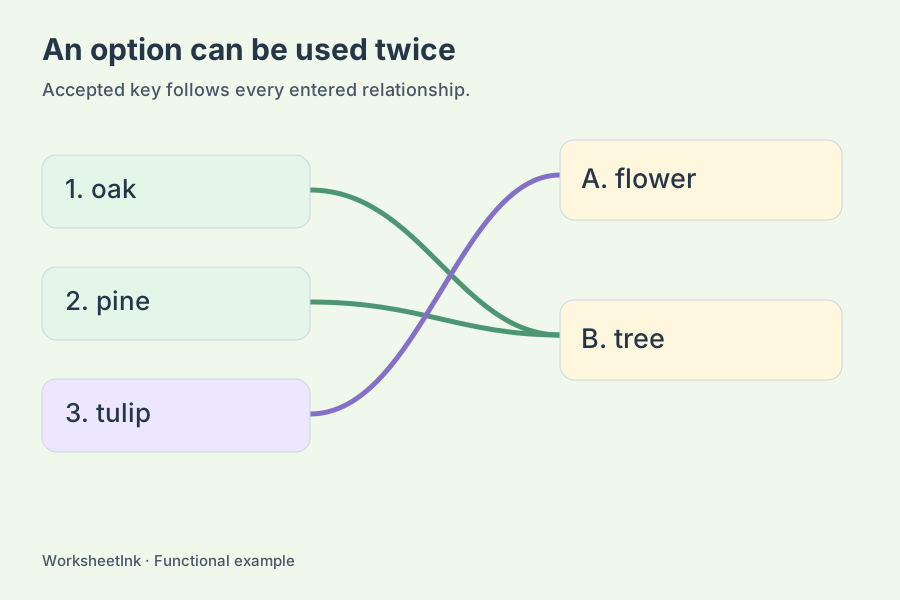
Several prompts can legitimately share one response. A category activity might connect oak and pine to tree while connecting tulip to flower. The same right-hand text becomes one option that may be used again, rather than several indistinguishable choices. Repeated left-hand text with different partners is flagged for review. On a page containing those repeated prompts, the teacher key lists the available partner letters for that identical text; add context if you need one uniquely identifiable answer.
Build a compact worksheet without losing clarity
Start with useful pairs, then choose a reading and writing space that suits them.
- 01
Prepare custom text pairs from your lesson
Write one pair per line using a vertical bar, for example habitat | the place where an organism lives. You can also paste two spreadsheet columns separated by a tab. Both sides are required, and each side may contain up to 80 characters. Chinese, accented letters, short phrases and mathematical symbols can be supplied as ordinary text. Use no more than 200 nonempty lines.
A comma inside a definition stays part of the definition. Commas and hyphens are not separators here, so a sentence containing those marks will not be split unexpectedly. A row with missing text, more than two fields or an unsupported control character is reported by its source line number. Completely identical pairs are used once. Different relationships sharing one label remain in the input instead of being erased as if they were mistakes.
- 02
Choose the set before shuffling its choices
Request between one and 200 pairs. Input order selects the first valid entries, which is useful when your list follows a lesson sequence. Random selection shuffles the available entries before taking the requested number. The right-hand choices are shuffled separately in both modes. A version seed lets you reproduce an unedited activity from the same list and rules.
If fewer valid pairs are available than requested, the preview shows the actual count and a message. It does not repeat questions to reach an artificial total. When only one distinct option exists, matching becomes trivial and the tool says so. Add contrasting responses or use the content as a sorting discussion instead. Randomization changes position, not the quality of a definition or whether the distinction makes sense.
- 03
Use the activity as a check on meaning
For a science warm-up, prepare eight short habitat terms and specific explanations. Let learners write the option letter in each response box, then ask them to explain one decision to a partner. A crowded list of long paragraphs can turn this into a reading exercise rather than the vocabulary check you intended. Shorten the choices when the learning goal is recognition of the key concept.
For an extension, connect different examples to a shared category. State that a letter may be used more than once; the printed page supplies that instruction when needed. Do not assume that the last unanswered item can always be solved by elimination. Review near-synonyms and repeated prompts before distributing the sheet. The generator keeps your entered relationships but does not judge whether a particular definition is scientifically complete or appropriate for your class.
- 04
Edit a relationship and keep its updated key
Generate the activity and read both copies. The student page contains the prompts and choices without the partner letters filled in. The teacher page shows the accepted letters beside the corresponding question numbers. Editing replaces both sides of one selected pair, checks the input limits and rebuilds the choices. The revision marker changes so an earlier key is easy to distinguish.
Keep a copy with browser saving on this device, or download the worksheet data to preserve the exact selected pairs, option order and edits. Import that file into this tool when you need the same activity again. Switching the interface language keeps the supplied text unchanged. A downloaded data file includes answers and is intended for preparing materials, while a student PDF is the copy to distribute.
- 05
Fit short items across the paper
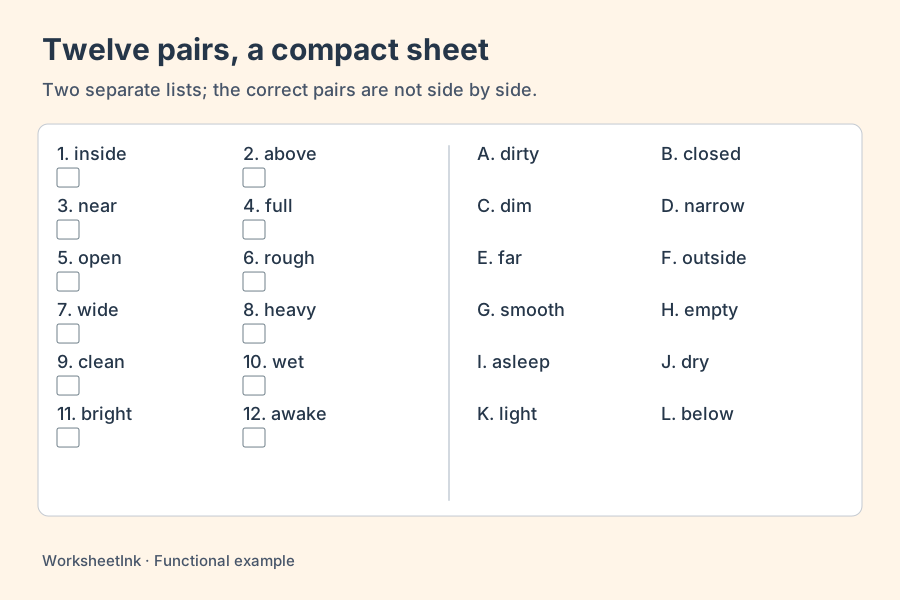
Choose one to six items per row on each side. This means each of the two halves can contain several entries across a row; it does not place a correct pair together or remove the shuffled-choice task. One item per row gives the familiar tall two-column layout. Three or more can save paper for short labels, translations or symbols. Use fewer columns for substantial definitions.
Changing the density keeps the same questions, edits, global option labels and version. Pages are regrouped to keep every required option beside the prompts that use it, and some options may appear again on another page. Letters therefore do not necessarily restart at A on each page. Page capacity is reduced for longer text so entire entries can wrap. Compact cells are suited to writing letters; drawing many crossing lines through them is less practical.
Choose A4 or Letter and match that setting in the browser print dialog. Print the student copy, teacher copy or both; combined output places all student pages before the teacher pages. Use portrait orientation and inspect the result at normal scale. Saving a PDF preserves the printed appearance, while downloading data preserves an editable activity. The paper layout includes response boxes rather than long writing rules. Check that the learner can read each choice comfortably before producing a class set.
Questions about custom matching activities
Answers about input, options and compact printing.
Enter each word and the meaning you want learners to match, separated by a vertical bar or spreadsheet tab. Both sides must be supplied. Select the number of pairs, generate, and review the shuffled choices and numbered key. A word-only list is insufficient because the generator does not invent definitions.
Yes. Identical response text becomes one reusable option. The student copy says that letters may be reused. The key points each prompt to that option, preserving the many-to-one relationship rather than forcing a false one-to-one match.
Both relationships remain, and a warning asks you to review the prompt. If those rows occur on the same page, its key accepts the available listed partners for that identical text. Add a phrase or sentence to distinguish the meanings when your assessment requires one intended response.
Yes: choose one to six entries per row on each side. The two shuffled lists remain separate. Short items suit dense layouts; longer definitions need fewer columns. The page count updates without regenerating the content, and all needed options remain on the same page as their prompts.
At one item per row, learners can connect the two lists with pencil if that suits your activity. The generated directions and response boxes are designed for writing letters. Several entries across a row are intended for compact letter matching, where many drawn connections would be difficult to follow.
This version accepts text pairs only. It can display the languages you type, but it does not upload pictures, translate meanings or create definitions. Supply checked content on both sides. A later picture-based tool would need its own input and printing behavior.
Invalid rows and exact repeated pairs are reported, and the available valid list may be shorter than your request. Fix the original lines or add more complete pairs. The generator never pads the activity with duplicate questions just to reach the selected number.
Choose student output, then Print or Save PDF. Answers are filled only in the teacher output. Keep the version marker with its matching key. Your data download contains the underlying pairs and answers, so use the student printout when sharing the exercise with learners.
Connect this lesson’s words and meanings
Prepare clear pairs and choose a comfortable density.
Keep the corresponding answer key ready.
Custom text pairs · Browser printing and PDF