LOOK · PLAN · TRACE
Maze generator Choose a route, follow the turns
Create a printable maze with a checked path from a solid starting dot to an outlined finish diamond. This maze generator offers rectangular grids, four passage-building styles and opposite-edge entrances. Make a small maze worksheet for a short activity, or a larger board with more room to explore. The answer copy keeps the exact walls and adds the verified route, with measurements that describe the individual puzzle.
Unique solutions · Adjustable density · Local saving
Maze generator
Choose the puzzle rules, generate and review both outputs.
My worksheets
Drafts save automatically in this browser, including unfinished input. Keep up to 20 named worksheets across all tools. Large images may exceed browser storage; download data as a backup.
Worksheet preview
Fit complete rows onto each page using the selected columns and writing space. Extra page space stays at the bottom; answer gaps are not stretched.
Request 1–6 puzzles across and 1–12 rows. Readability can reduce the actual grid.
Generate a set to review puzzles and matching solutions.
Match A4 or Letter in the browser print dialog. Choose Save as PDF and review every student and answer page; switch off browser headers and footers if needed.
Give the route room to breathe
Clear walls and a visible destination make a useful paper puzzle.
Every passage belongs to a connected maze
Choose between four and forty cells in each dimension. Each generated board connects all cells without internal loops, giving exactly one simple path between the entrance and exit. The start and finish sit on opposite outer edges, with the relevant walls opened as gates. Follow the solid dot into the grid and finish at the outlined diamond. The checks cover reciprocal passages, connectivity and the stored answer path. A decorative hero illustration is separate from these functional diagrams; the sample walls and solutions come from actual validated puzzle data.
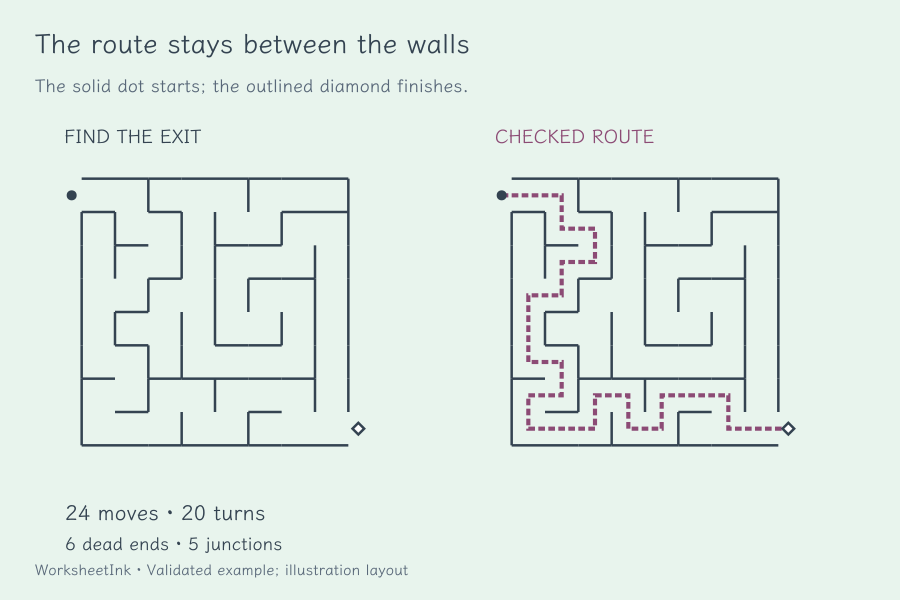
A maze with solution and meaningful measurements
Teacher pages add a dashed route through cell centres, keeping it visible in monochrome printing. Route moves count transitions between cells; turns count direction changes along that route. Dead ends exclude the entrance and exit cells, and junctions have at least three internal connections. These values describe a particular board rather than certify a universal difficulty level. A long route, many branches or a larger grid can change the experience in different ways. Compare a few generated examples and choose the one that suits the activity.
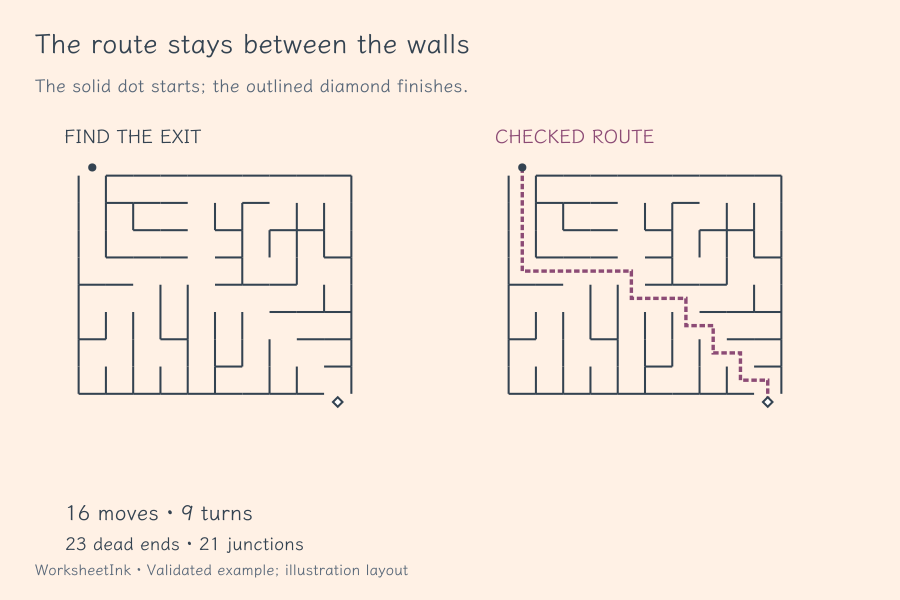
Make a maze that fits the session and the paper
Adjust the construction first, then choose a comfortable drawing size.
- 01
Pick the width and height independently
Set each dimension from four to forty cells. A wide rectangle and a tall rectangle occupy different shapes on paper even when they contain the same number of cells. Start with a modest grid for learners who need to practise following a corridor without crossing a wall, then review a larger board before assigning it.
This is an ordinary path-finding activity. The tool does not attach arithmetic questions, claim curriculum alignment, assign an age band or measure a learner’s concentration. You decide how to use it: a quiet table activity, a discussion of planning, or a short puzzle break. If you want a written explanation, add space beneath the maze.
- 02
Compare four passage styles
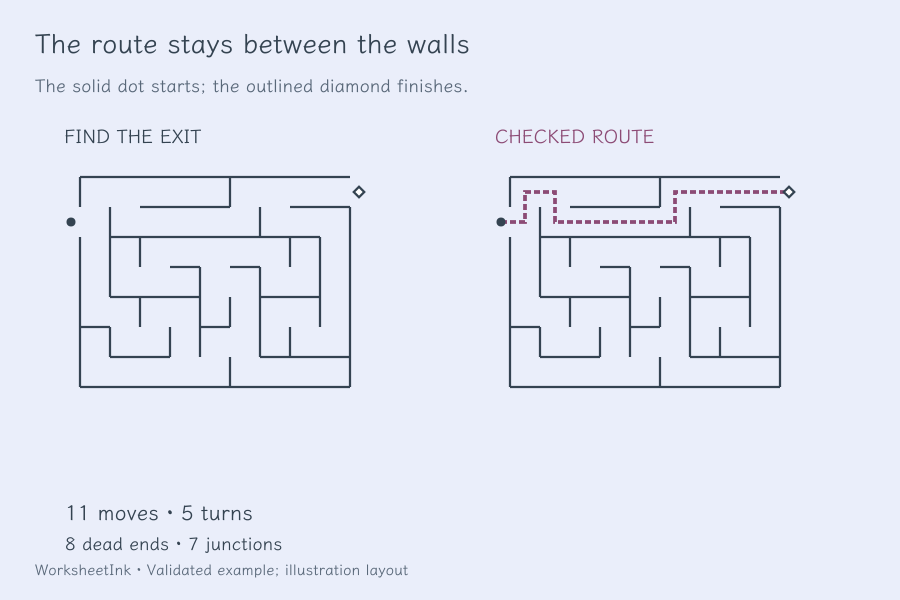
Winding passages stretch into twisting routes; branching passages spread through scattered junctions. Row-run passages join horizontal corridors through openings above each run, with an open corridor across the top row. Partitioned passages use long walls to divide the board into smaller regions, leaving one opening through each dividing wall. All four styles connect every cell without loops.
The style names describe the construction rule, not guaranteed easy and hard modes. Two boards from the same style can have different solution lengths, turns and dead ends. Generate a few seeds, look at the reference metrics and select a useful example. Do not treat a high branch count as proof that every learner will find that board more difficult.
Choose row-run passages when you want the horizontal structure to stand out, or partitioned passages to follow openings between regions. The left-to-right and top-to-bottom settings control entrance and exit edges; they do not rotate the row-run corridors. Switching style is a content change: generate again to update the preview, answers and saved puzzle together.
- 03
Place entrance and exit gates on opposite edges
Choose left-to-right or top-to-bottom travel. Corner positioning uses the top-left cell for the start and the bottom-right cell for the finish, opening the corresponding edges. Varied positioning uses seeded positions on the chosen opposite edges. The solid start dot and outlined finish diamond are kept outside the wall openings.
These gate markers remain distinguishable without colour. Explain that the route must stay inside passages and may not jump over a wall. The answer path starts at the dot, passes through the correct cells and ends at the diamond. On a paper student copy no solution route is drawn, so the learner has an unmarked board to explore.
- 04
Review a batch and replace just one board
Request one to 24 puzzles. The version seed reproduces the same boards under the same generation rules, and exact repeated wall-and-gate layouts are omitted within a batch. Each accepted maze passes a graph check: every connection is reciprocal, all cells are reachable and the internal connection count is one fewer than the cell count.
The item editor replaces one maze using its own local seed while keeping the overall dimensions, style and gate settings. It rebuilds the walls, solution and metrics together and creates a content revision. This is not a freehand wall editor or an arbitrary maze-image importer. Other puzzles keep their existing data, so you can improve a set without discarding every board.
- 05
Set the paper density without losing the corridors
Request one to six puzzles per row, one to twelve rows and zero, four or eight millimetres of extra space. The layout estimates each diagram from its width and height, preserves a minimum passage-cell size and reserves room for labels. It reduces actual columns or rows when a large grid would become too cramped.
A small four-by-four maze can fit densely, while a forty-cell width needs a much wider board. Tall grids may use fewer rows even when several fit across. Student and teacher estimates are separate because the reference always carries measurements. You can optionally show those measurements on student pages too. Read the capacity summary instead of assuming a six-column selection will force every grid into six tiny drawings.
- 06
Save the exact walls and keep the reference version
Print student pages, answer pages or both. Each maze number and content identifier connects a student board with its reference even if the outputs have different page counts. The dashed solution is a simple route without backtracking; it does not describe every exploratory move a learner might make.
Download JSON to preserve the exact passages, gates, local seeds, answer routes and layout. Import validates the stored graph, recomputed measurements and regenerated board before restoring it. Browser saving is local and may be cleared. A layout-only change preserves the content version, while replacing a maze creates a revision. Choose the intended A4 or Letter paper in the print dialog, inspect the final output and test a copy before classroom use.
Before you print
Practical answers about rules, solutions and paper.
All internal cells must be connected, and every passage must agree at both ends. The construction has no loops; together with connectivity this gives one simple route between start and finish. The saved route is recomputed during validation. A picture that merely looks connected would not pass those checks. The teacher copy draws the route on the same wall layout.
Grid size, route length, turns, branches and visual density can all affect the experience. Winding, branching, row-run and partitioned describe passage patterns, not fixed difficulty levels. Row-run mazes emphasise horizontal corridors; partitioned mazes have long dividing walls with openings. Review the actual route and metrics before choosing a board for your learners.
Yes. Select one to six across and one to twelve rows, then read the actual capacity for each output. The planner keeps passage cells at least 2.4 millimetres in its estimate and caps diagram height, so larger grids can reduce the requested density. Extra space and teacher measurements also use vertical room. Check the final paper preview before making copies.
The dashed route distinguishes the reference from solid walls in a black-and-white copy. It runs through cell centres and the two open gates. The student output contains the same walls and gate markers without that route. Colour is not required to identify the answer, and the dot and diamond give a clear start and finish.
Moves are transitions between internal cells on the solution route; travel outside the gates is excluded. Turns are direction changes between successive route moves. Dead ends are degree-one internal cells, excluding the start and finish cells. Junctions have three or more internal passage connections. These definitions describe the graph, not the number of wrong turns someone will make.
Yes. Edit that item’s local seed to build a different board using the current size, style and gate choices. The tool validates the replacement and updates its reference and metrics together. An exact duplicate of another board in the set is rejected. The content version gains a revision so saved or printed copies can be matched correctly.
This version generates rectangular passage grids from settings and seeds. It does not interpret an uploaded maze picture, provide a freehand wall editor or turn the maze into an arithmetic worksheet. Use the ordinary puzzle for route tracing, and use the separate maths generators when the learning goal is calculation.
A downloaded worksheet stores the exact walls and route, with seeds and rules for verification. Import checks the data before restoring it. Layout changes or switching student measurements on and off keep the same content identifier. Generating again or replacing a board changes the content. Keep the JSON and matching reference together if you want to reuse the exact activity.
Prepare a fresh set for the next session
Choose the rules, check the result and keep the matching answer copy.
Browser printing & PDF · No registration