Your spelling list, ready for practice
Missing letters worksheet generator with clues that make the task clear
Use this missing letters worksheet generator to turn your own word list into printable spelling practice. Hide vowels, consonants or a limited number of letters, add a short clue and keep the original words as answers. Control the order and first-letter support, inspect prompts that may have several completions, then print student and teacher copies for the same version.
Custom words · No account · A4 / Letter
Build a missing-letter worksheet
Paste your own spelling list, choose which letters to hide and check the prompts.
My worksheets
Drafts save automatically in this browser, including unfinished input. Keep up to 20 named worksheets across all tools. Large images may exceed browser storage; download data as a backup.
Worksheet preview
Fit complete rows onto each page using the selected columns and writing space. Extra page space stays at the bottom; answer gaps are not stretched.
Choose your settings and generate a worksheet to preview it here.
For PDF, choose Save as PDF. Match A4 or Letter, use portrait orientation and turn off browser headers and footers.
Make the missing letters purposeful
A spelling worksheet maker for words learners have already encountered.
Choose which part of the spelling to recall
Hide only vowels, only consonants or positions drawn from the whole word. Set the maximum blank count and optionally keep the first letter visible. The original letter order is preserved: this is a completion exercise, rather than a word scramble. Every included word keeps at least one visible letter, even when you request more blanks than it can supply.
Check clues and possible completions
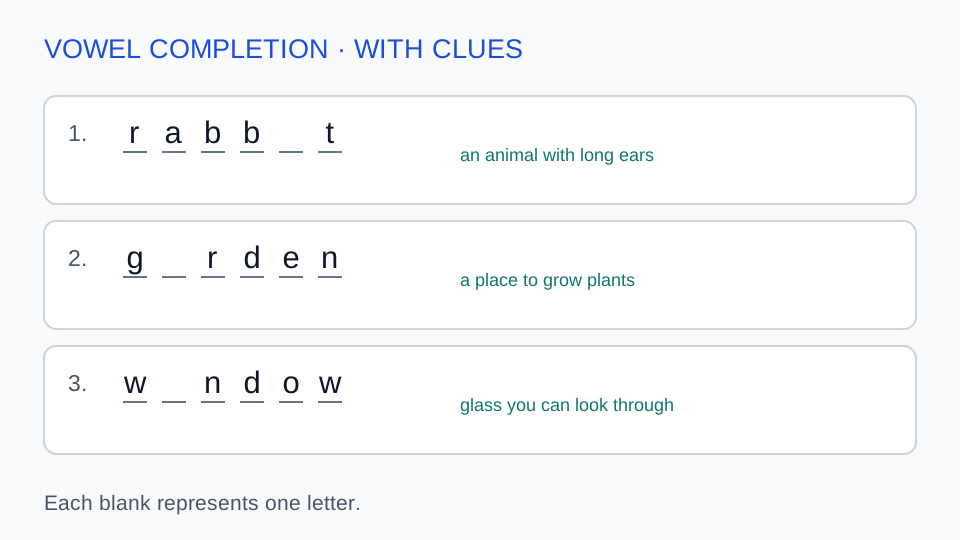
A short clue can distinguish similar prompts without revealing the word itself. The tool flags a prompt when more than one word in your entered list fits its visible letters. This checks your supplied list, not every English word. Review the warning, refine the clue or change the word before printing, and use the original spelling in the answer key.
From weekly word list to a clear spelling handout
Review the language and the blanks, not just the number of questions.
- 01
Use a custom word list and optional clues
Paste one word per line. To add a clue, write the word, a vertical bar and your clue on that same line, such as rabbit | an animal with long ears. Clues are optional, may use other languages and can contain up to 120 characters. Words accept two to 24 English letters, including uppercase and lowercase. The output preserves the spelling and case you entered. It does not correct spelling, supply definitions or choose an alternative regional spelling for you.
You can enter up to 200 nonempty lines. Do not paste comma-separated lists, phrases, numbers, accented letters, hyphenated words or spreadsheet headings into the word field. Invalid lines are identified by line number and excluded; valid words can still generate a sheet. Repeated words with the same clue are used once, ignoring case for duplicate detection. If the same word has different clues on duplicate lines, combine them into one clear entry before generating. This avoids silently choosing a meaning you did not intend.
- 02
Choose a blank rule that matches the lesson
For missing vowels worksheets, choose Vowels; for missing consonants, choose Consonants. Any letters selects positions throughout the word. Vowels selects from A, E, I, O and U; consonants selects other English letters, including Y. These are letter categories, not a pronunciation analysis: a silent E is still eligible as a vowel, and Y is always treated as a consonant here. Selecting vowels does not automatically hide every vowel. The maximum blank count controls how many eligible positions are removed from each word.
Choose between one and eight blanks. The actual number is capped by the eligible letters and the need to keep at least one letter visible. A short word can therefore receive fewer blanks than requested, which is reported. First-letter protection removes the first position from consideration under every rule. If a word then has no eligible position, it is listed as unused rather than appearing unchanged as a fake question. Turn off that protection, choose another rule or add suitable words to include it.
- 03
Plan a fill in the missing letters activity
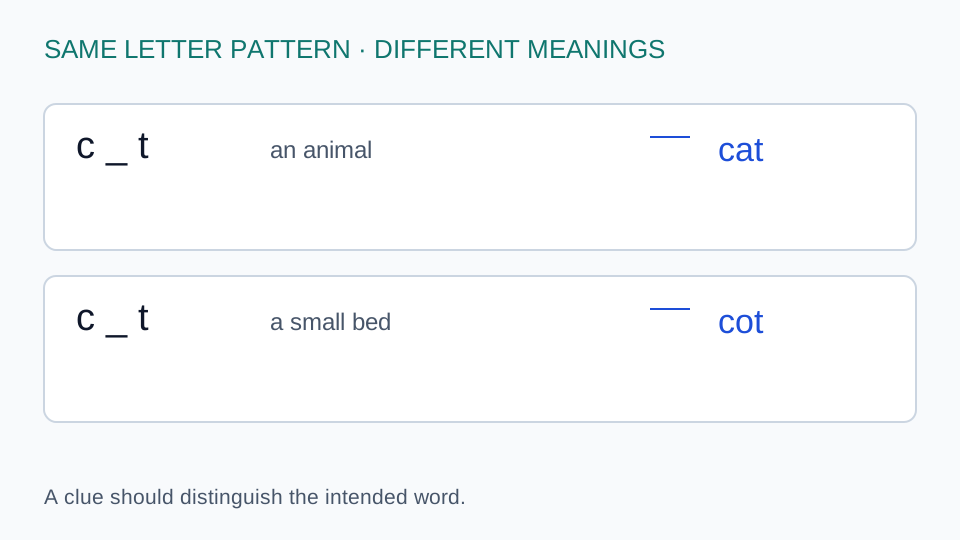
A prompt such as c_t may be completed as cat, cot or cut. With no context, the supplied answer is an intended word rather than proof that every other completion is wrong. The preview identifies alternatives drawn from your full entered list, including eligible words beyond the requested subset. It cannot detect every word outside that list. Add a clue that distinguishes the intended meaning, keep more letters visible or choose a different word before using the sheet as an assessment.
For an introductory activity, use eight familiar words, one vowel blank and short meaning clues. Ask learners to read the clue, say the word and complete its spelling. For revision, keep the same list but switch to any letters and two blanks. Remove clues only when the remaining letters and lesson context make the task reasonable. A printed blank stands for one letter; it is not a box for one sound, since several letters can represent a single sound. This activity does not independently assess a whole phonics curriculum.
- 04
Choose the order, inspect the count and edit
Input order takes eligible words in the sequence you entered them. Alphabetical order sorts by the spelling, ignoring case. Shuffle changes the order before selecting the requested number, so it can also change which words are included when the list is longer than the count. Changing the seed can change the blank positions; with input or alphabetical order, the selected subset stays based on that ordering. Request no more words than you want learners to attempt in the session.
The preview reports the actual count when duplicate, invalid or ineligible entries leave fewer questions than requested. It never invents extra vocabulary to fill the gap. Use Edit beside a question to correct its spelling or refine its clue. The replacement receives new blanks under the current worksheet rule, while the other questions retain their existing prompts. The original-word answer and version update together. If you have also changed the input form, review those pending changes before regenerating so that an older pasted list does not replace your edit.
- 05
Separate student practice from the answer copy
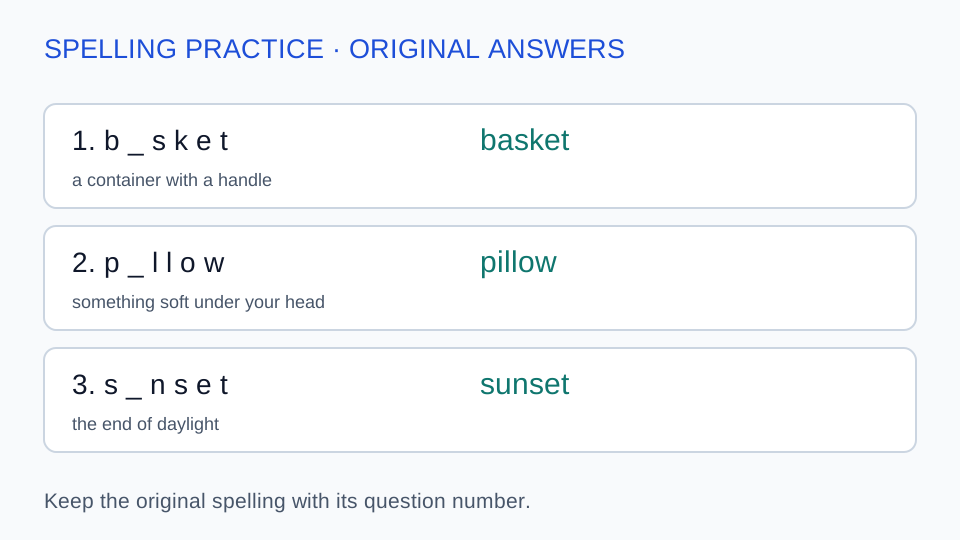
With one word per row, each student page has up to 12 questions; selecting more words per row increases page capacity. Each question shows the missing-letter positions and supplied clues when enabled, with blank space separating questions. The answer key keeps the same numbering and shows the original spelling. Select student output to hand out practice, answer output for marking or both for a combined file. All student pages precede the answer pages in combined output. Clues print only when the generated worksheet has that option enabled; switching the checkbox requires generating again.
Choose A4 or US Letter, match it in your browser print dialog and use portrait orientation. Save as PDF creates a printable file through the browser. Turn off browser headers and footers and inspect long clues or words before saving. The words are processed on your device. Saving in this browser is local, and downloaded JSON data can preserve the exact blanks and edits for import later. A seed by itself does not preserve manual changes. There is no account, cloud synchronization, automatic student grading, audio recording or picture-clue upload in this tool.
In the preview controls, choose Words per row to arrange one to six words across the page. This changes layout immediately while preserving the current words, blanks, edits and answers. Pagination leaves space for long words and clues. Saved or downloaded data retains your selected column count.
Missing-letter worksheet questions
Yes. Paste one English word per line, optionally followed by | and a short clue. Use two to 24 letters per word and up to 200 entries. The worksheet is built from your supplied spellings, not from a hidden grade list. Check regional spellings and meanings yourself before using the handout.
Choose the corresponding letter rule and set the maximum blanks per word. Vowels are A, E, I, O and U; Y belongs to consonants in this tool. The blank count is a cap, so choosing two blanks removes at most two eligible letters rather than necessarily every vowel or consonant.
Words with no eligible positions are listed as unused. First-letter protection can cause this, especially in short words. The tool also keeps at least one letter visible, so it may reduce the blank count. Invalid lines and duplicate entries are reported separately. Change the rule or input and generate again to see the revised count.
Yes. Visible letters alone may fit several words. The generator flags matches found in your entered list, but cannot prove uniqueness across English vocabulary. Add a meaning clue or show more letters before assessing the task. The answer key records your intended original word; use judgment when another completion also satisfies the printed prompt.
Yes. Hints can contain Chinese or other languages even though the word field accepts English letters only. Write a focused meaning after the | separator, then enable printed hints. The page does not translate or verify the hint. Avoid including the answer spelling in the clue unless you deliberately want a copying task.
Choose Input order. Alphabetical sorts the eligible list, while Shuffle randomizes it before the requested subset is selected. The same seed and settings reproduce the initial generated result. Changing the seed in input order can alter blanks without changing the chosen first words. Save or download data to keep later edits exactly.
No. Student and teacher output use the same worksheet data and version identifier. Changing the output selector does not generate anything. The teacher copy shows the original complete words. If you edit or regenerate the worksheet, print a matching new key so that its numbering and intended answers correspond to the student sheet.
This page removes letters inside individual words while retaining their order. It does not remove whole words from paragraphs, rearrange letters or produce a dictation recording. Use it for controlled spelling recall and letter completion with your own list. Choose another activity when your objective is sentence meaning, grammar or rebuilding a scrambled word.
Give this week’s words a focused task
Choose a useful blank rule and a clue when one is needed.
Review the prompts, then print the matching student and teacher copies.
Custom vocabulary · Browser PDF printing