CUSTOM ENGLISH PRACTICE
Sentence scramble worksheet generator Give familiar words a new order
Use this sentence scramble worksheet generator to turn your own English examples into a printable word order activity. Keep useful phrases together, add a meaning clue, and supply other acceptable sentences for the teacher key. Choose the writing space and requested paper density separately, then review what learners will actually receive.
Custom text · Adjustable density · A4 / Letter
Arrange sentence practice
Keep the content choices separate from the paper layout.
My worksheets
Drafts save automatically in this browser, including unfinished input. Keep up to 20 named worksheets across all tools. Large images may exceed browser storage; download data as a backup.
Worksheet preview
Fit complete rows onto each page using the selected columns and writing space. Extra page space stays at the bottom; answer gaps are not stretched.
Choose requested columns, rows and extra space. Long text may reduce the applied grid; the current content stays unchanged.
Generate to review the content and matching reference.
Match A4 or Letter in the browser print dialog. Choose Save as PDF and review every student and answer page; switch off browser headers and footers if needed.
A sentence puzzle begins with a teaching choice
Decide what students should notice before you shuffle.
Keep a phrase together when the phrase is the target
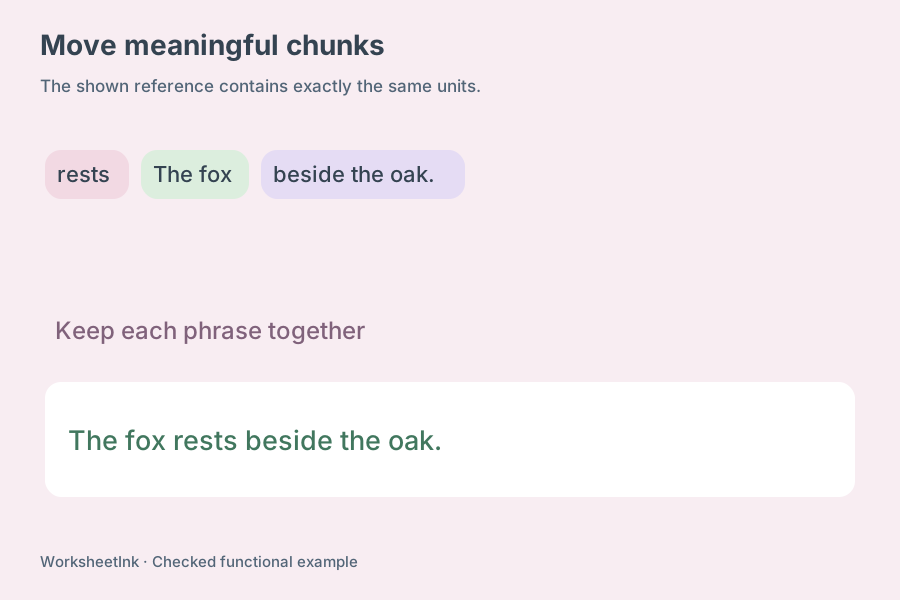
A phrase group lets you decide how much structure to give away. Enter We / are looking for / the red kite. to move three chunks instead of eight separate words. Without slash separators, spaces divide the sentence into individual word units. Apostrophes, hyphens and punctuation stay attached to their original unit. A scrambled sentences activity can therefore focus on the order of larger phrases or on the placement of every individual word. Use grouping deliberately: protecting a complete verb phrase removes one decision from the learner, which can be helpful during an introduction but less useful when that verb phrase is the skill being assessed.
Treat the teacher copy as a reference, not a grammar judge
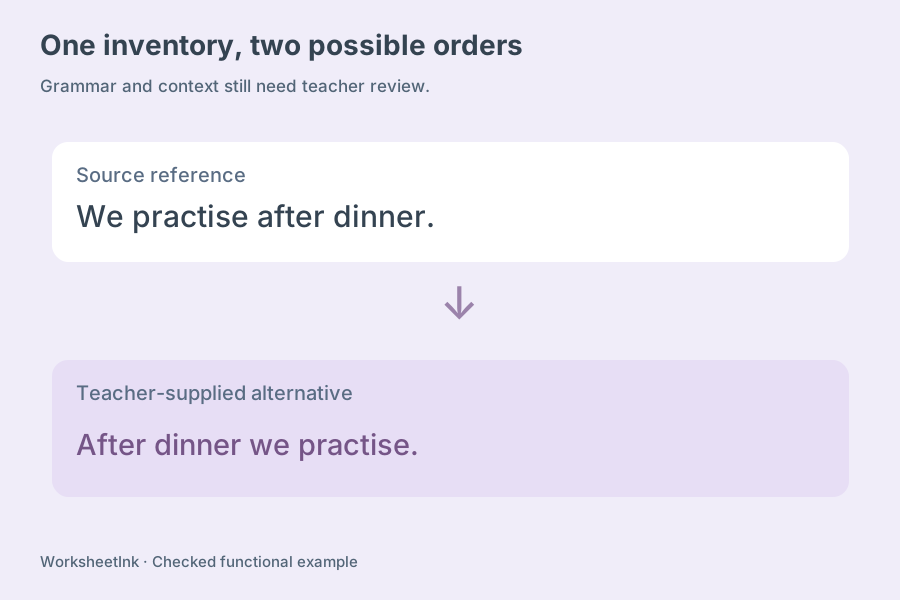
English often permits more than one sensible order. A time expression may appear at the beginning or end, and a change of emphasis can move other phrases. The original sentence is printed as a reference answer. You can add up to three alternatives for discussion and marking. The tool checks that those alternatives contain the same words, ignoring differences of case and surrounding punctuation; it does not certify their grammar or meaning. Read each proposed answer yourself. When a lesson requires one pattern, make the clue specific or choose a sentence whose context strongly favours that structure.
Build word order practice from your current lesson
A short, checked list is more useful than a page of unfamiliar sentences.
- 01
Write one complete English sentence per line
Use vocabulary learners already understand, and preserve the capitalization and punctuation you want on the reference copy. Each sentence may contain up to 180 characters and two to twenty-four movable units. A protected group may contain up to sixty characters. One-word entries and sets of identical units cannot produce a useful rearrangement and are rejected.
Optional fields use vertical bars: sentence | meaning clue | alternative one ~ alternative two. Leave the second or third field empty when it is unnecessary. The clue may contain Chinese or another language and can be shown or hidden on the student sheet. The source sentence itself uses English letters, numbers and ordinary English punctuation. Slashes, vertical bars and tildes are separators rather than printable content in the sentence field.
- 02
Choose whether words or larger groups move
A space-separated sentence creates a word-level task. Adding slashes switches that line to explicit phrase groups, and every part between two slashes moves together. Do not insert an empty group. The generator always changes the visible unit order; it will not quietly hand out the original arrangement as the puzzle.
For an introductory activity, group an article with its noun or keep a familiar expression intact. For a more demanding sentence unscramble worksheet, remove those protections. Ask learners to explain why the pieces belong together after they reconstruct the sentence. This helps you distinguish a lucky guess from an understanding of the structure.
- 03
Use hints and capitalization with a clear purpose
The first-unit hint prints the original first word or group below the scrambled pieces. It does not lock that piece into a separate answer position. Meaning clues provide a different kind of support. You may also lowercase the student pieces while keeping the teacher reference unchanged, so learners need to restore the original capitalization.
Lowercasing affects names and the pronoun I as well as the opening word. Tell students explicitly to restore capitals, and check that the extra editing demand suits the lesson. Punctuation remains attached to its unit in both modes; the tool does not remove end marks or create an independent punctuation exercise. A short clue can narrow the intended meaning without disclosing the complete English answer.
- 04
Select questions and review the result
Request one to 200 items from up to 200 input lines. Keep input order when the list follows your teaching sequence, or shuffle the selection for a mixed review. Exact repeated entries are reported and removed. Invalid lines are listed by position so you can fix them, while valid lines remain available. A shortage notice gives the actual number instead of duplicating items to fill the request.
Try a six-sentence warm-up about an upcoming class visit. Begin with short statements, then add one question that students can compare with the statements. Review the student copy for accidental answer clues, and compare its units with the reference. An edited sentence receives a new revision and a fresh, matching arrangement. Other entries remain part of the same saved set.
- 05
Plan the paper in both directions
Choose one to six requested items across and one to twelve requested rows down. Extra working space adds zero, eight or sixteen millimetres beneath each activity. The actual grid considers the longest phrase, the clues, the reference alternatives and the space needed for the reconstructed sentence. Long content can reduce columns or rows, and the actual capacity is displayed.
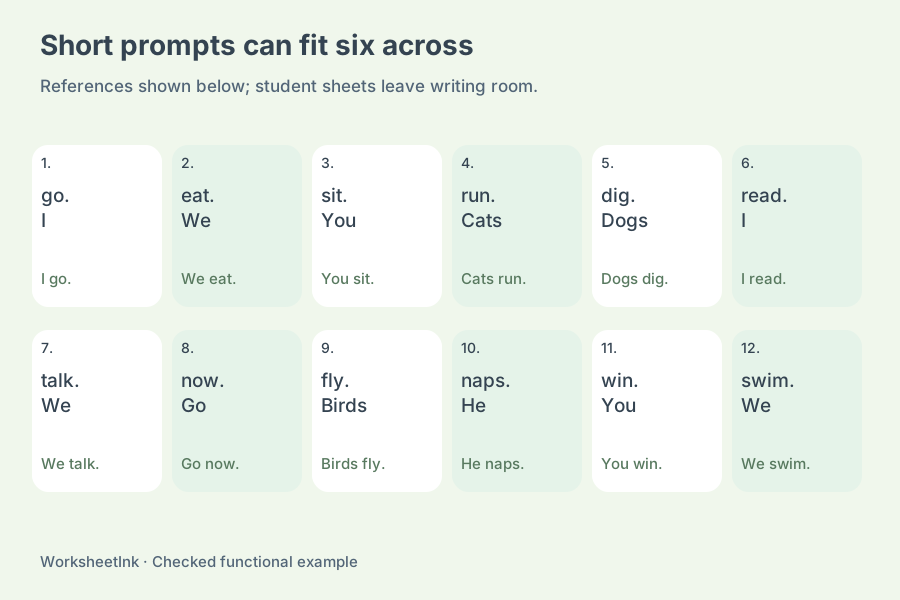
Six columns can suit very short sentence tasks, especially for oral ordering with brief written responses. A longer sentence or several alternatives usually needs fewer columns. The calculation reserves a conservative question area shared by A4 and Letter; it does not promise every requested grid will fit. Changing density keeps the same units, answers, edits and version. Review a real print sample before making a class set.
- 06
Keep the exact version for later teaching
The student sheet has shuffled units, enabled clues and writing room with a visible answer line under each item. The teacher copy shows the original sentence and any supplied alternatives with the same question number and version. Select either copy or both in the output controls, then use browser printing or Save as PDF.
Browser saving is local to this device. Downloaded JSON preserves the input entries, selected questions, actual arrangements and layout choices for validated import. A version seed helps repeat an unedited generation, while the downloaded file is the record to keep after manual edits. There is no learner submission, automatic marking, grammar correction or cloud account. For spelling individual words, use the separate letter-scramble activity.
Questions before making the class set
Understand the source, support and output choices.
Yes. Paste one complete English example per line, with optional clues and alternative answers in the documented fields. Choose familiar vocabulary and review the grammar yourself. The maker rearranges supplied content; it does not invent a lesson, assign a reading level or check whether a sentence is appropriate for a particular age.
Place slash separators around the groups you want to move: Birds / sing / in the garden. The final group stays intact. Without slashes, the tool separates at spaces. Punctuation stays with its original unit, so enter it where you want it to appear in the reference sentence.
Yes. Add up to three teacher-approved alternatives after the second vertical bar, separated with a tilde. Their word inventory must match the original sentence. That check protects against missing or extra words, but you still decide whether the alternatives respect the protected phrases, grammar, context and learning goal.
Enable lowercasing to remove capitalization clues from every student unit. The original teacher sentence remains unchanged. This also changes proper names and I, so the printed directions ask learners to restore capitalization. The end punctuation remains attached; it can still provide a useful clue about the last unit.
A sentence may be too long, have an empty phrase group, contain reserved separators, or have fewer than two distinct movable units. Exact duplicate entries are also removed. The result names invalid or repeated input positions. If no valid entries remain, fix the input before generating rather than printing an empty worksheet.
Six is an available requested setting. Short pieces can fit that arrangement; long protected phrases, clues or reference answers may require fewer actual columns. The capacity notice reports the applied grid. Requested rows and working space let you control vertical density as well, without shrinking the printed text indefinitely.
No. Columns, rows and extra space rearrange the current version. A content edit or a new generation changes the puzzle data and matching teacher reference. Download the current JSON before trying a new content version when you need to preserve a particular arrangement for another class.
Choose student, answers or both, select A4 or Letter, and use the print button. The browser can save a PDF. Match its paper setting and inspect pagination. The key is a reference for teacher review, including supplied alternatives; the website does not collect or grade student responses.
Prepare your next short practice
Check the content and give learners enough space to respond.
Browser print / Save PDF · No registration