MANDARIN SOUND & SPELLING
Pinyin worksheet generator Notice the sound, practise the spelling
Use this pinyin worksheet generator to practise Mandarin tone marks, initials and finals, or move between familiar characters and their readings. Enter your own syllables or vocabulary, check suggested pronunciations, and choose a compact or spacious printable layout without changing the current questions. For blank practice, fill complete pages with four equally spaced lines, adjustable millimetre height and spacing, and optional drawing room.
Custom text · Adjustable density · A4 / Letter
Pinyin worksheet generator
Set the content, then adjust the printable arrangement.
My worksheets
Drafts save automatically in this browser, including unfinished input. Keep up to 20 named worksheets across all tools. Large images may exceed browser storage; download data as a backup.
Worksheet preview
Fit complete rows onto each page using the selected columns and writing space. Extra page space stays at the bottom; answer gaps are not stretched.
Request 1–6 across and 1–12 rows. Long readings and clues can lower the actual grid. Space adds 0 / 8 / 16 mm.
Generate to review the content and matching reference.
Match A4 or Letter in the browser print dialog. Choose Save as PDF and review every student and answer page; switch off browser headers and footers if needed.
One vocabulary list, several focused tasks
Choose the support that belongs in this lesson.
Choose what the learner needs to supply
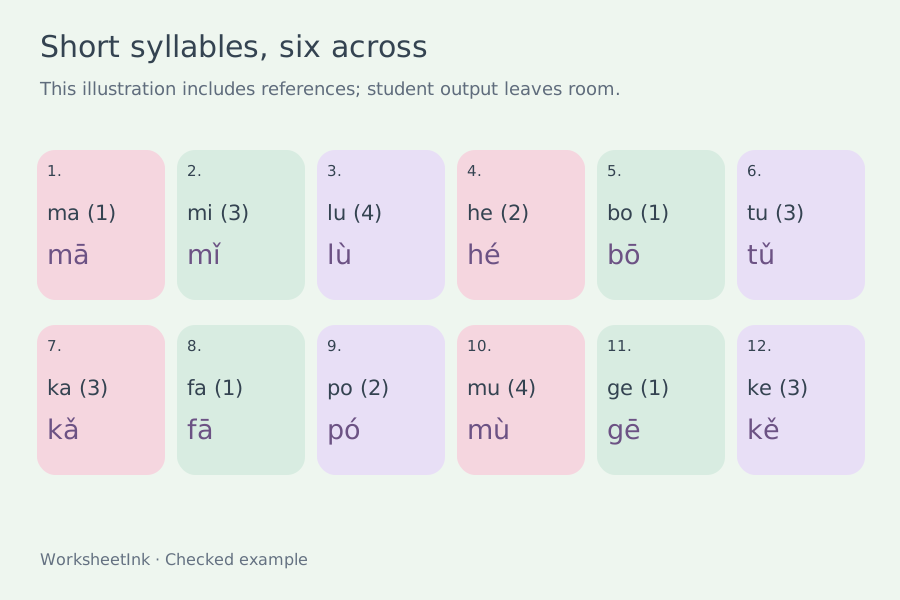
Tone practice starts with a plain syllable and a numbered tone cue, then asks the learner to write the marked form. Initial and final activities start with a complete marked reading. The character-to-pinyin mode asks for a reading from supplied Hanzi; the pinyin to Hanzi mode asks for the written word from its reading. Choose one focus for each sheet so the directions remain clear. Optional meaning clues can distinguish vocabulary with the same pronunciation, but a clue can also give away a sound you intended students to recall. Read it from the learner’s perspective before printing. These are written activities; there is no audio playback, speech recognition or automatic assessment.
Review a reading before it becomes the reference
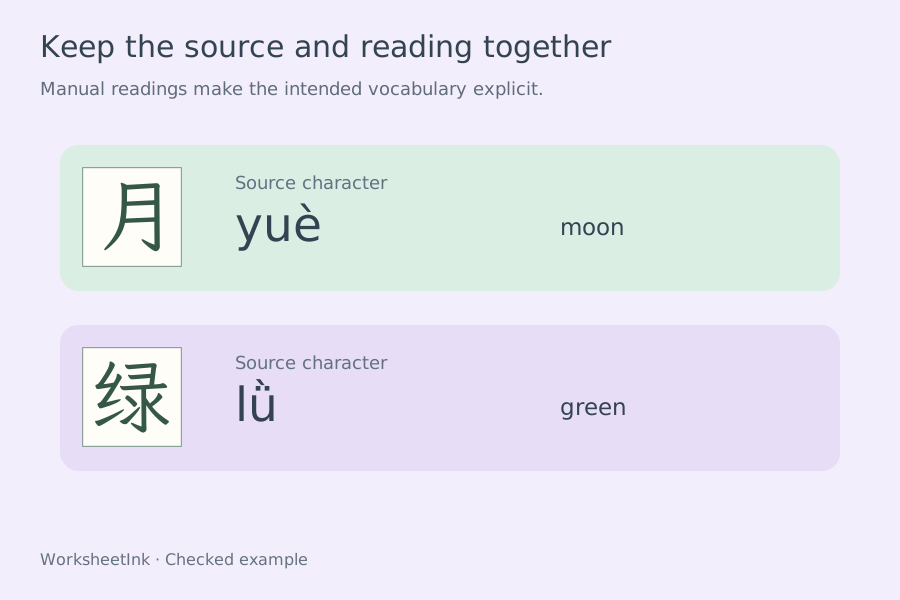
You can enter a reading yourself or leave the reading field empty after a Chinese word to request a dictionary suggestion. Suggestions consider the whole supplied word, which is more helpful than guessing each character separately, but a short name or a polyphonic character can still be interpreted incorrectly. A review notice lists suggested readings for inspection; the preview and item editor let you check the rest. The reference uses the supplied lexical tones, with automatic tone sandhi disabled. If the lesson deliberately teaches a contextual pronunciation, enter that pronunciation manually and explain the context. The software does not certify that a vocabulary item has only one possible reading.
From your lesson list to a usable practice sheet
Review the content first, then adjust the paper.
- 01
Enter separated syllables or Chinese vocabulary
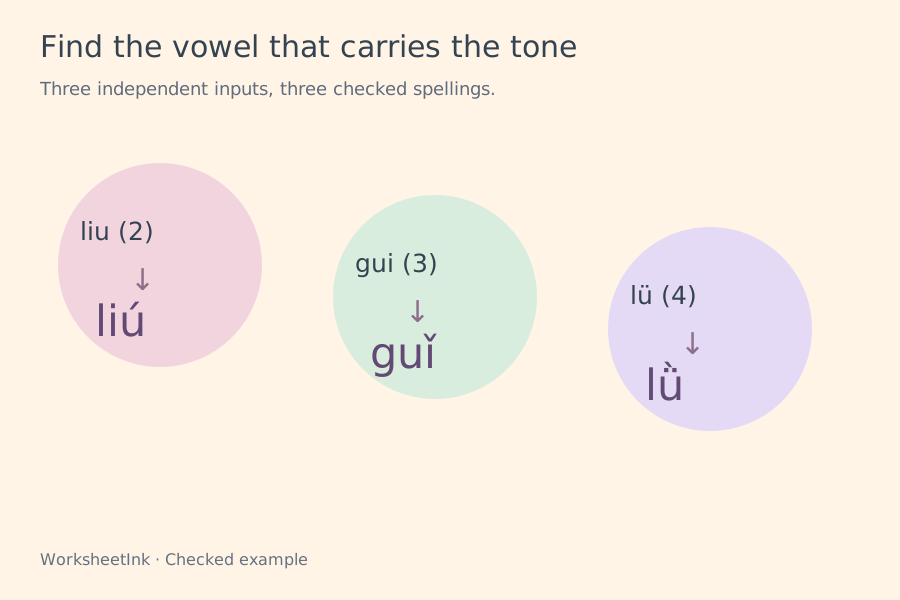
Put one activity on each line. For direct sound practice, examples include liu2, gui3 and lü4. A final digit from one to four requests a marked tone; zero or five requests a neutral tone. An unmarked syllable is also treated as neutral rather than as an unspecified answer. Separate the syllables in a word with spaces or apostrophes.
For a Chinese entry, use 汉字 | reading | optional clue. For example, 旅行 | lv3 xing2 | travel keeps the target reading explicit. Leave the middle field empty to obtain a dictionary suggestion, and review it before use. Each entry allows one to six ordinary syllables, up to six supported Hanzi and a clue of up to sixty characters. The character count must match the number of syllables. Continuous unspaced pinyin is not automatically segmented.
- 02
Check tone placement and the spelling of ü
The maker converts numeric input into marked vowels using the spelling priority a, then e, then o in ou, and otherwise the final vowel. Thus liu2 becomes liú and gui3 becomes guǐ. It also accepts an already correctly marked syllable. Combining a tone digit with a tone mark, marking two vowels, or placing the mark on the wrong vowel is rejected.
You may type ü directly, use v, or use u: before the number. The normal spelling after j, q and x omits the two dots, so jü4 becomes jù; after n and l they remain meaningful, as in nǚ and lǜ. This spelling conversion does not turn plain lu into lü. Check your source whenever that distinction changes a word. The accepted list covers ordinary Mandarin syllables, rather than every dialectal, interjection or phonetic notation.
- 03
Use the stated initial and final convention
This activity uses the twenty-one initials of the Hanyu Pinyin scheme. The written letters y and w are not counted as initials here: yi therefore has the initial response ∅ and the final i. A syllable beginning with a vowel also uses ∅ for the empty initial. Tell students that the symbol means no initial, rather than asking them to pronounce it.
Final answers restore the underlying forms used in this exercise: liu has iou, gui has uei and lun has uen. The yu series restores ü, while the y and w spelling forms restore their corresponding finals. The printed i in zhi, chi, shi, ri, zi, ci and si remains i in the answer; this is an orthographic exercise, not an IPA transcription. If your classroom uses written suffixes or counts y and w differently, choose another mode instead of mixing conventions.
- 04
Review selection, clues and individual edits
Request one to 200 activities from up to 200 lines. Keep the input order for a teaching sequence or shuffle the selection for retrieval practice. Invalid lines and exact repeated entries are reported. When too few valid entries remain, the actual count is shown and the maker does not silently repeat questions to reach the requested total.
Inspect both output copies. In the item editor you can correct a character, reading or meaning clue; an edit creates a new revision with the matching reference. Character-to-pinyin and pinyin-to-character tasks require a Hanzi entry, so a pure sound list is unsuitable for those modes. A homophone task should have enough context for your intended answer. The printed Hanzi is a source reference, not a declaration that every other character with that reading is wrong.
- 05
Adjust the paper across and down
Choose one to six requested activities per row and one to twelve requested rows per page. Additional working space adds zero, eight or sixteen millimetres per item. Four-line writing guides can be shown for pinyin responses, or hidden for open writing room. For Hanzi answers, each pinyin syllable is centred above its own blank 12 mm square with horizontal, vertical and diagonal guides. Each syllable and its square stay together when longer words wrap to another row.
The capacity calculation considers the prompt, reading, enabled clue and teacher reference, using a conservative area shared by A4 and Letter. Longer words can reduce the actual columns, and taller content reduces the rows. The displayed grid reports that applied capacity. A short single-syllable warm-up can use a dense setting; a six-syllable word or an unfamiliar spelling usually deserves more space. Layout changes preserve the current questions, corrections and version.
- 06
Print a checked pair and keep the exact data
Choose the student sheet, reference answers or both. Student output shows the selected prompt, optional clue and writing room; the answer is reserved for the reference copy. Both copies carry the same item numbers and version. Before opening print, the tool waits for the locally supplied writing fonts needed by this sheet to finish loading.
Match A4 or Letter in your browser, inspect the final pagination and use Save as PDF if needed. Browser storage keeps a copy on this device. A downloaded JSON file preserves the exact selected entries, edits and layout for validated import into either interface language. Keep that file after a manual correction. A seed can reproduce an unedited selection, but it is not a substitute for saving edited data. The tool does not store learner responses or send a class list to an account.
- 07
Reuse the original fixed-block pinyin paper
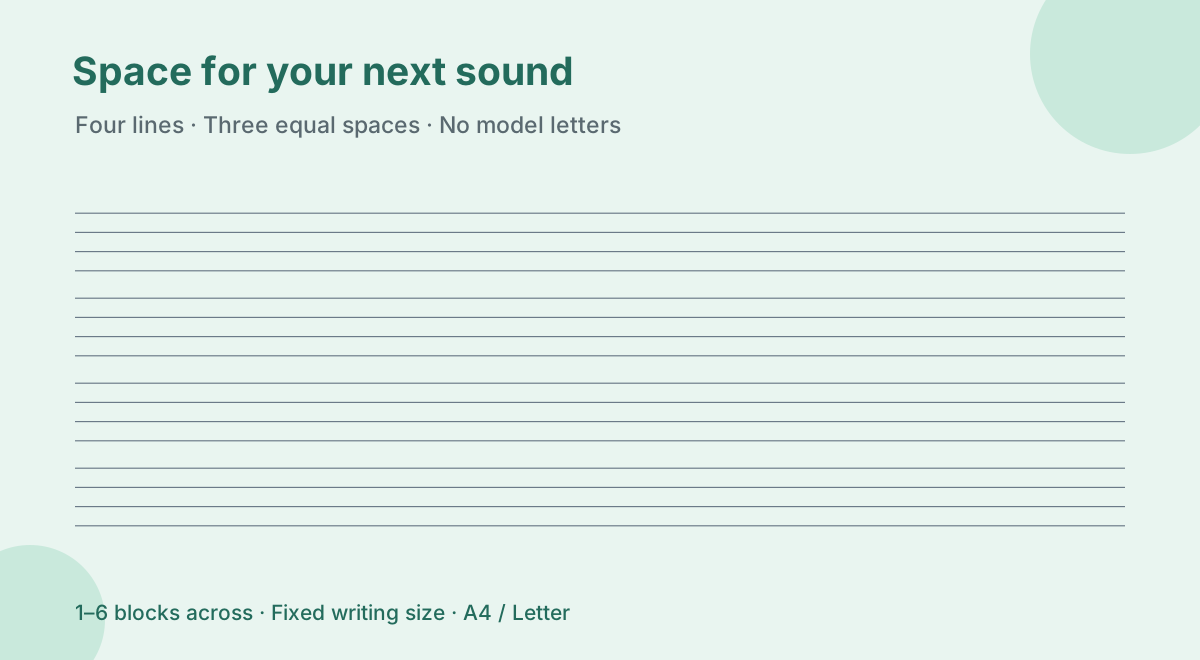
Select Blank four-line paper, then Fixed practice blocks, to retain the earlier blank layout. No placeholder syllable is required. Each block contains four horizontal lines forming three equal spaces, without letters, tone numbers, activity numbers or a name field. This original band measures nine millimetres from its first line to its last. Older saved blank files restore this mode automatically.
Set an explicit total of one to 200 blank blocks. This is a number of writing areas, not a number of finished pages. Choose one column for long uninterrupted rows, or up to six columns for shorter sound or syllable responses. All requested blocks are retained and flow onto A4 or Letter pages. Automatic pagination packs complete blocks down the page without stretching their writing band or inserting extra copies to fill the last sheet. A small final gap can remain when another whole block cannot fit.
Blank paper has only one output because there are no questions with predetermined answers. Switching to this mode therefore shows a single blank-paper copy instead of a student-and-teacher pair. The saved data records the chosen layout and empty blocks; it contains no hidden word list. Download and import that file to reuse the same paper. For a vocabulary worksheet with supplied readings or Hanzi references, return to one of the five question modes and review its separate answer copy.
- 08
Fill a sheet with equally spaced pinyin guides
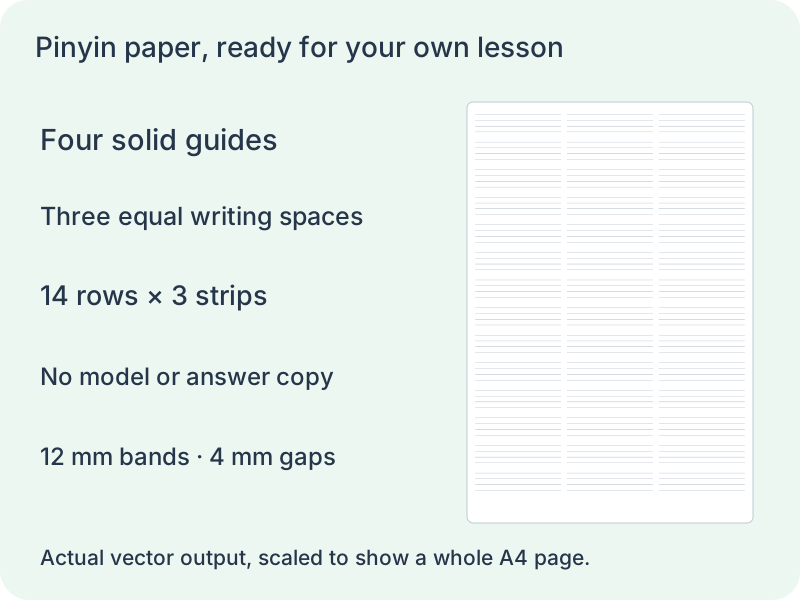
Choose Blank four-line paper and the Full pages layout. Request one to twenty A4 or Letter sheets, then choose one to six writing strips per row. Every strip has exactly four solid lines with three equal spaces. A 9 mm band therefore has 3 mm between adjacent lines; a 15 mm band has 5 mm. No syllable, Hanzi, tone number or faint tracing model is inserted into the writing area.
Band height offers 6, 9, 12, 15 and 18 mm. Group spacing is independently selectable from 0 to 12 mm in 2 mm steps. The page repeats complete rows at those dimensions; it does not use the old block count to decide where a page ends. A partial row is never added at the bottom. With six short strips, each row still contains six separate writing areas rather than six syllables chosen by the generator.
- 09
Separate tone clearance, group spacing and drawing room
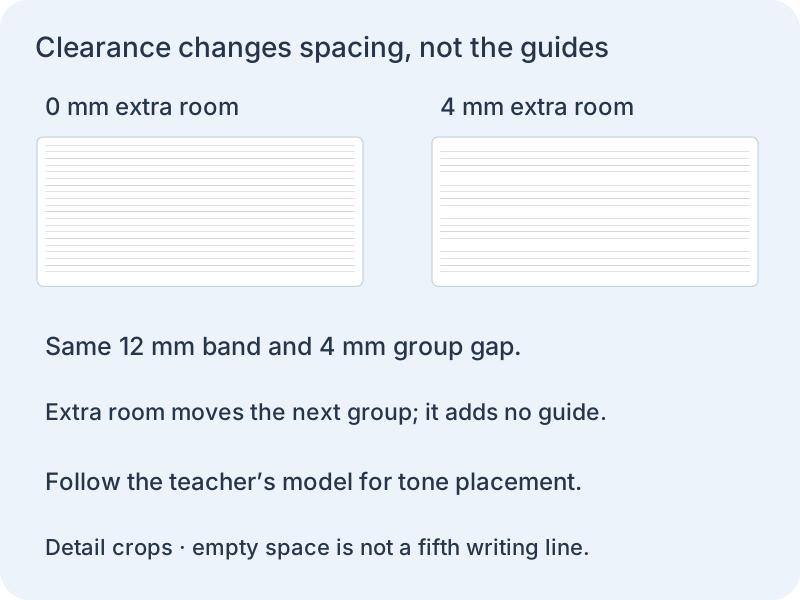
Extra room above each band can be set from zero to six millimetres. It adds clear space before the first guide without adding a fifth line or changing the three equal writing spaces. Treat it as optional room around the exercise, not a rule that tone marks must be written outside the grid. Follow the teacher’s model: a tone mark belongs above the appropriate vowel, usually within the upper writing space.
Extra room and group spacing both affect the row pitch, so compare them in the preview before printing. For an illustrated copying activity, choose a 30, 50, 70 or 90 mm drawing box above the whole grid. An optional title and name/date header also reduces the available row count. Turning these options off restores that space while keeping band height fixed.
Save the data to retain these choices, including paper size and requested pages. Only blank sheets are printed, with no duplicate answer set and no automatic tone annotation. Select matching paper and 100% scale in the browser. If the measured spacing on a physical sample differs, check scaling and printer settings before making a larger batch; changing the generator height to compensate makes saved settings harder to reuse.
Questions before printing
Practical answers about readings, writing and paper.
Yes. Enter one item per line using the documented character, reading and optional clue fields. You can also use a list of separated pinyin syllables for tone, initial or final tasks. Choose words learners have met and inspect the reference before making a class set.
Type ü, v or u: followed by a tone number, such as lv4 for lǜ. You may also enter correctly marked lǜ directly. Do not combine a marked vowel and a number. Plain lu remains lu; the normal omission of the dots after j, q and x is handled separately.
When a syllable has no a or e and is not ou, the last written vowel takes the mark. That gives guǐ and liú. The maker rejects a pre-marked form with the accent on the wrong vowel, helping you catch a source-entry error before it reaches the worksheet.
Zero, five and an unmarked syllable all represent neutral tone in this tool. The tone activity prints a zero cue and the reference has no tone mark. It does not infer a missing lexical tone for a direct pinyin entry; add the intended number yourself.
An omitted reading receives a dictionary suggestion for the supplied word, which still needs review. Names and short isolated entries are especially ambiguous. Supply an explicit reading or edit the generated item when the suggestion is unsuitable. Automatic tone sandhi is disabled; contextual pronunciation needs a deliberate teaching choice.
This mode follows the twenty-one-initial scheme and restores the corresponding finals in y and w spellings. It also expands iu, ui and un to iou, uei and uen. The directions name that convention. Use tone or vocabulary modes if your classroom exercise expects a different analysis.
One through six are available requested column settings, with separate row and space controls. The actual arrangement may use fewer columns for long content. Check the capacity notice and both copies. Increasing density preserves readable text instead of promising that every word will fit in the narrowest cell.
Yes. Choose student output and download the current data file for later use. The separate reference retains the supplied readings and source Hanzi. Saving in the browser is device-local; importing validated JSON restores the exact worksheet rather than translating or regenerating its content.
Yes. Select blank paper and Full pages, choose one to twenty sheets and adjust the millimetre band height and one to six columns. Fixed practice blocks is still available for the original 9 mm bands and one-to-200 block count. Both work without text input and leave no hidden syllables in the guides.
An empty guide sheet has no fixed questions or reference answers. Only the blank copy is printed, so choosing this mode does not double the page count. Switch to a vocabulary or tone activity when you need supplied questions and a separate reference.
No. The extra room is an optional blank area before each band, not a placement instruction. Use the teacher’s model and put the tone mark above its vowel, normally in the upper writing space. The four guides remain equally spaced, and blank-paper mode does not insert or correct tone marks.
Yes. Band height controls the first-to-last guide distance. Group spacing controls the clear gap after that band, and extra room adds space before the next. These are independent controls. Larger gaps reduce the number of complete rows per page while leaving the selected guide height unchanged.
Prepare a focused pinyin practice
Use a short list you have checked and leave room for the learner.
Browser print / Save PDF · No registration