SMALL PICTURES · CLEAR QUANTITIES
Counting worksheet generator See the amount, then write the number
Choose picture counting, reading frames, drawing a given amount, comparing two groups, making five or ten, or completing number bonds. This counting worksheet generator keeps the pictures and teacher references together. Select quantities within zero to twenty, then set a readable printed density and enough response space for the task.
0–20 quantities · 1–6 columns · Matching answer pages
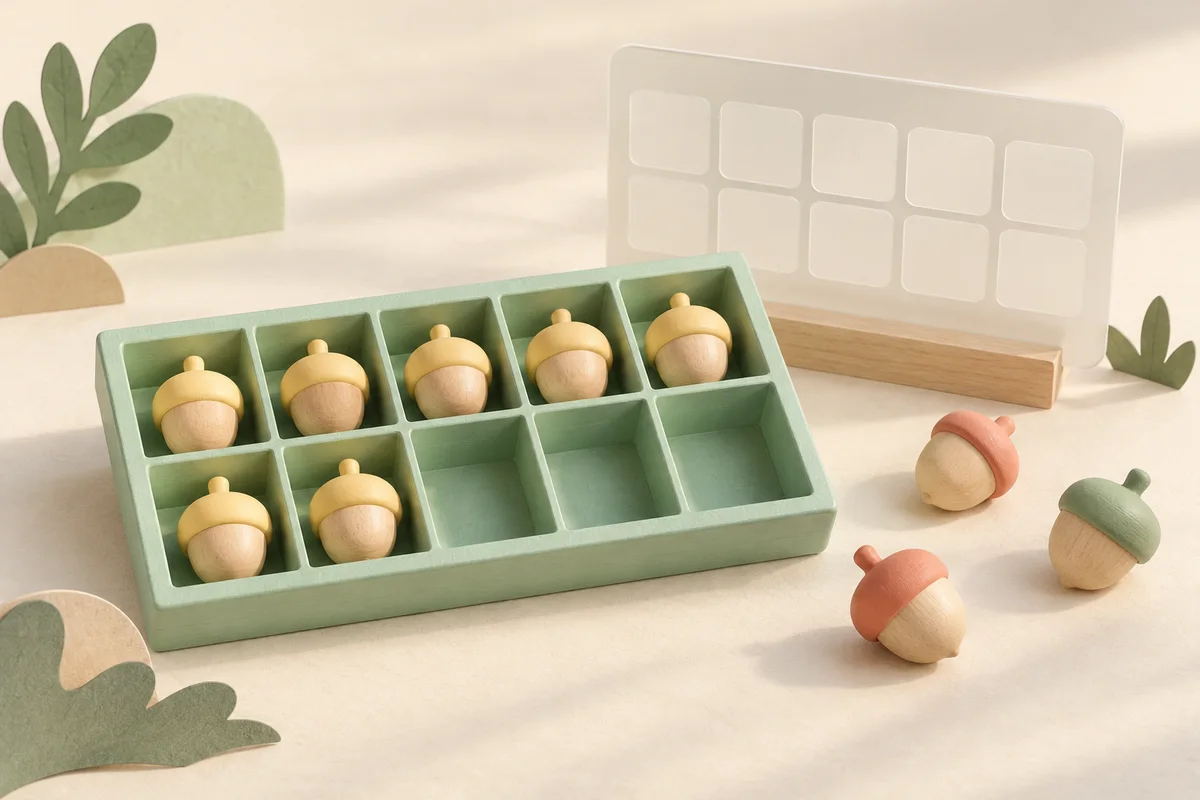
Counting worksheet generator
Count, draw, compare, make five or ten, and explore number bonds.
My worksheets
Drafts save automatically in this browser, including unfinished input. Keep up to 20 named worksheets across all tools. Large images may exceed browser storage; download data as a backup.
Worksheet preview
Fit complete rows onto each page using the selected columns and writing space. Extra page space stays at the bottom; answer gaps are not stretched.
Choose 1–6 questions per row. Ten-frame cells stay 4 mm wide; larger object groups use more vertical space. Automatic pagination fills the usable page with complete rows.
Generate a worksheet to see the quantity pictures and answer spaces.
Match A4 or Letter in the browser print dialog. Choose Save as PDF and review every student and answer page; switch off browser headers and footers if needed.
Count, draw and compare quantities
Choose the representation that matches the question you want learners to answer.
Count a collection or read a frame
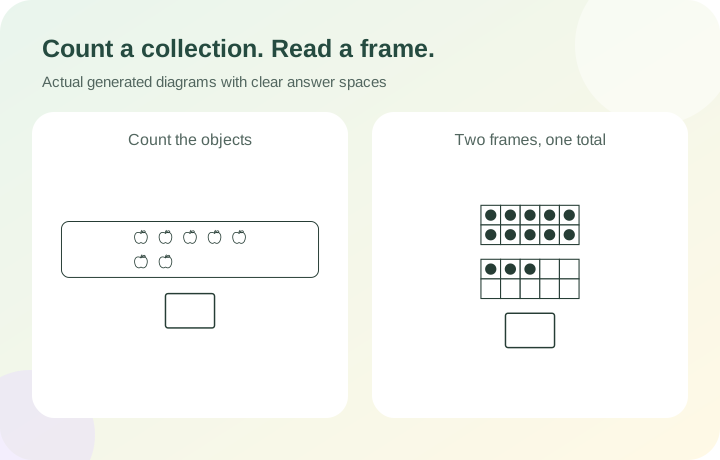
Picture counting worksheets ask learners to track individual objects in a bounded group and record the total. Small apples and leaves are drawn from the exact quantity data, so the reference never depends on interpreting an illustration. Ten frame worksheets arrange dots in two rows of five. For eleven through twenty, a second frame appears below a full first frame. An empty object group or empty frame represents zero. These are different representations of quantity; choose one for a set, then compare a second representation in conversation or on another sheet.
Show what is missing without removing the picture
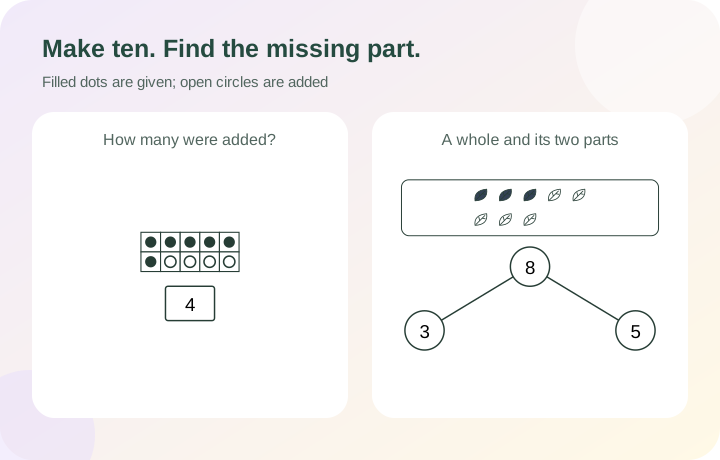
Make ten worksheets leave real empty cells for learners to draw in, followed by a box for the number of dots added. Number bonds show a whole quantity, a given part and one missing part. Filled objects identify the given part and outlined objects retain the rest of the collection, so the activity stays connected to a picture. The teacher page completes the missing value. In make-ten answers, outlined circles distinguish new dots from the original solid dots even on a black-and-white printer.
Build a focused counting activity
Decide the quantity, the representation and the writing space before printing.
- 01
Start with one mathematical task
Choose one task for the complete set: count pictures, read a frame, draw a given number of dots, compare groups A and B, make five or ten, or fill a number bond. The repeated instruction stays at the top of each page. When comparing, count both groups and write the relation in A □ B; a matching pair requires an equals sign. Separate short sets can focus on different representations without changing the instruction halfway through a page.
Use actual objects alongside the paper when that suits the lesson. Pointing to each pictured item once can make a counting explanation visible. The generator provides materials; it does not observe responses or make an assessment of a learner’s development.
- 02
Choose a range or select particular quantities
For picture counting and frame reading, choose any whole-number range within zero to twenty. A custom list can focus on quantities such as 0, 1, 5, 9, 10, 11, 19 and 20. Spaces and commas both separate entries. Duplicate entries do not give a number extra weight; they select that number once. The separate repeats setting controls whether a quantity can appear again in the worksheet.
Make-ten tasks accept only zero through ten. Switching from a range ending at twenty will show an error until you change that range. The tool keeps your chosen values rather than silently replacing them with a different lesson. Negative numbers, fractions and decimal quantities are outside this picture-counting activity.
- 03
Decide whether repeated questions are useful
Request one to 120 questions. With repeats enabled, the generator cycles through shuffled valid choices until it reaches the requested count. Repeated quantities may be useful when the class needs several opportunities to write the same numeral or count a differently placed collection. Turning repeats off limits the output to the distinct quantities or number bonds available under your rules.
For example, a counting range from one to five has five distinct quantities. Asking for twelve questions with repeats off produces five and reports that actual count. Number bonds can offer several given parts for the same total, so their distinct pool is larger. A changed picture arrangement alone does not count as a new mathematical question.
- 04
Move between ordered and spread-out pictures
Ordered objects sit in regular rows. Spread-out objects move within separated spaces, keeping every icon visible and preventing overlap. You can choose apples, leaves, circles or blocks, with an object size of three, four or five millimetres on paper. Increasing the icon size uses more height when there is less room across the page. The shapes are simple outlines that remain countable without colour.
For frames, the arrangement setting changes which cells contain dots. Ordered frames fill from left to right, top row first. Scattered cells offer a less familiar arrangement while still allowing only one dot per cell. Above ten, the first frame remains full and the remaining dots occupy the second frame; its two rows still contain five cells each.
- 05
Make the known information in a number bond explicit
For a missing-part bond, the whole and one part determine the other part. For an open bond, both lower circles are blank and the learner chooses a split. Allow zero to include a part such as zero in seven, or zero plus zero. With zero disabled, both parts must be positive and the whole must be at least two. Open bonds show unfilled pictures so no chosen split is given away.
You can let the generator choose the given part or set the same given part for every question. A fixed part must fit every selected total. For instance, a given part of four cannot be used with a total of three. The whole collection stays visible, and filled objects identify the known part, so learners can count or reason about the remainder instead of seeing only an abstract equation.
- 06
Use page space without making the task too small
Choose one to six questions per row; the default is three. The number boxes, printed text and four-millimetre ten-frame cells retain their physical size. Double frames stack vertically, making them usable in compact columns. Object collections add rows as needed. A layout that cannot hold a complete readable question is rejected with an instruction to change the settings, rather than silently reducing your selected columns.
Automatic pagination places complete question rows down the usable A4 or Letter page. Extra working space can add zero, four or eight millimetres below each question. Student and teacher copies are separate outputs; selecting both keeps both complete sets in the print preview. Match the selected paper size in the browser dialog and review the last page as well as the first.
- 07
Check the reference and keep the exact set
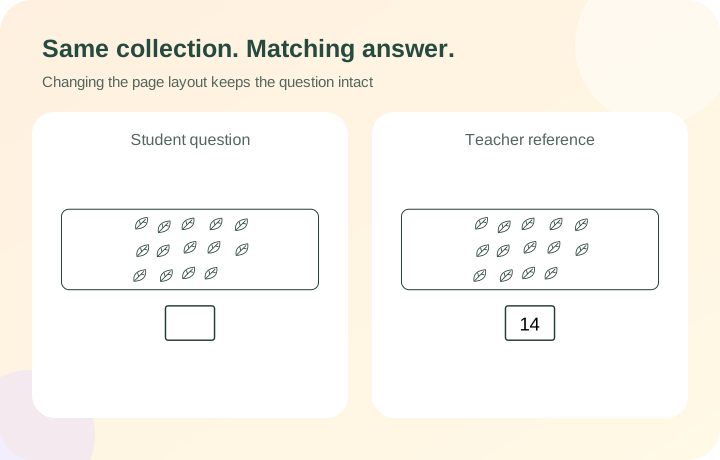
The answer page uses the same saved quantities, dot positions and given parts as the student worksheet. In make-ten mode, the value in the box is the number added, not the final total of ten. Solid dots were already present; open circles show the added dots. A complete original frame therefore needs zero new dots. An empty original frame needs ten.
Replace one question with a new item seed when you want another valid choice under the current rules. With repeats off, another question’s quantity or bond cannot be duplicated. Changes to columns or extra space preserve the questions. Save in this browser for convenience, or download the worksheet data for a copy you can import later. Import checks the stored questions and derived answers; browser storage alone can be cleared.
- 08
Draw the amount and compare two groups
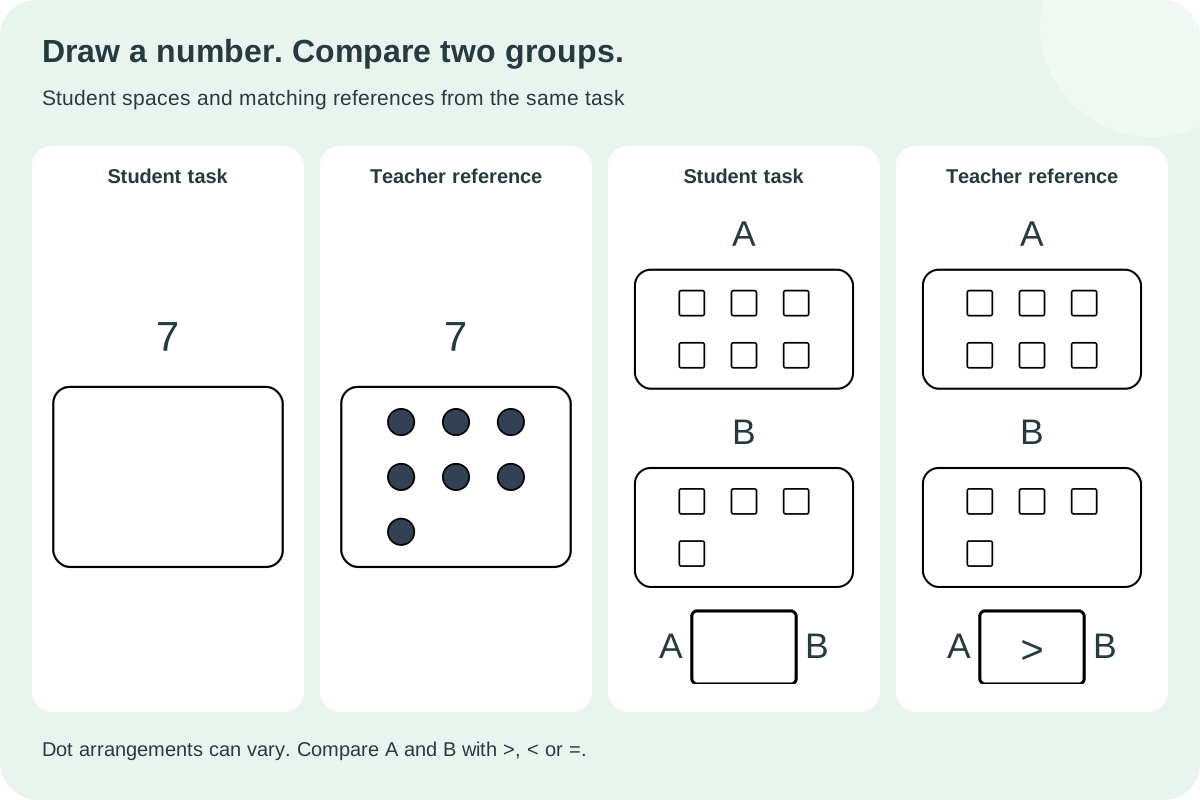
In draw-dots mode the numeral is already printed above a clear empty area. Learners supply the collection instead of copying an existing picture. A target of zero needs no marks. The teacher reference shows one arrangement, but any separated set with the correct number is valid. Comparison questions stack group A above group B so both complete collections fit even in six columns. The selected number pool supplies each group independently; equal amounts are valid candidates, although a short random selection need not contain every relation.
- 09
Make five and accept different number bonds
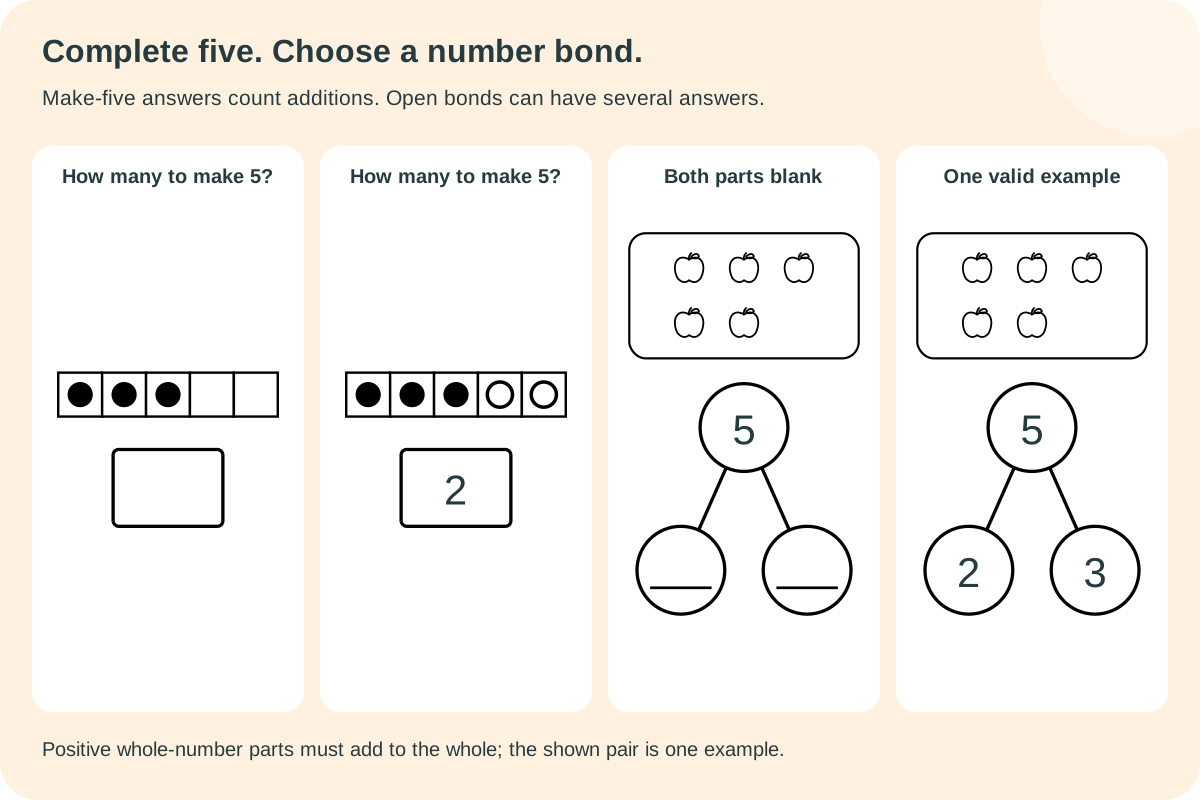
Making five uses one row of five cells. Making ten uses two rows of five. In both tasks the answer is how many counters were added, so a full frame needs zero. For an open bond with whole five and positive parts, both two plus three and one plus four are valid. The teacher page labels its completed pair as an example and states the allowed-part rule. Without repeats, each open whole is one task; each ordered comparison pair is one task. Changing the arrangement does not enlarge either mathematical pool.
Questions about counting pictures and printing
Practical answers for choosing a small, useful activity.
A picture group can be arranged in rows or spread out, so the learner tracks its objects. A ten frame fixes ten possible positions in two rows of five, making complete rows and empty positions available to inspect. The activity here asks for the total, while make-ten mode asks how many more dots are needed. Choose the task that matches the intended question.
They use two frames, stacked vertically. The first contains ten dots and the second shows the remainder, with at most one dot per cell. Eleven is therefore a full frame and one more dot; twenty fills both. The answer box records the combined quantity. A second frame is never added as an unrelated question.
Yes. Set the range to zero through five or one through five, depending on whether an empty collection belongs in the lesson. Alternatively enter selected values. For number bonds with zero parts excluded, the smallest supported total is two; use the zero option if you want to include totals zero or one.
For a given-number drawing task, any arrangement with exactly the requested number of separate dots is valid; zero stays empty. In make-five or make-ten, fill each previously empty cell once and record how many dots were added. The teacher page shows a valid example, not a drawing-precision score.
No. When the quantity is zero, the object area intentionally contains no objects and includes a small “none” label. An empty ten frame still shows all ten cell outlines. The answer page writes zero in the box. These diagrams are generated with the worksheet and do not rely on uploaded photos.
Yes. Choose Leave both parts blank. Accept any whole-number pair whose sum equals the whole and that follows the zero setting. With positive parts, five can be two and three or one and four; reversing either pair is also valid. The teacher reference supplies one example and the rule. A bond with one given part still has just one missing value.
Repeats are switched off and the valid pool is smaller than the requested count. The summary shows how many questions were actually created. Enable repeats for a longer set with repeated quantities, expand the range, or allow more given parts in number-bond mode. The generator does not quietly duplicate items when repeats are off.
Yes. Select six columns and choose student questions plus teacher answers. Compact frames and stacked double frames keep their cell size, while object groups may become taller. Automatic pagination packs complete rows down each page. Both outputs retain the same item numbers. Check the combined print preview and the paper size before printing; changing page density does not generate new questions.
Make the next quantity easier to talk about
Choose a small number set, a clear picture and enough room for the response.
Browser printing & PDF · No registration